MotoBook 60 Review: Best Laptop in Low Budget
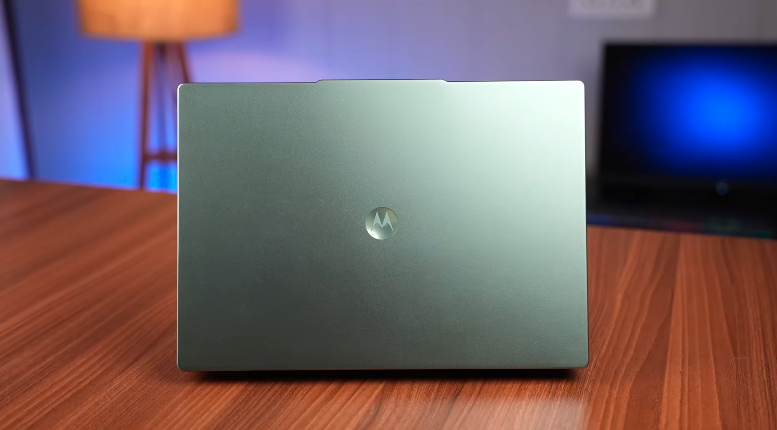
Table of Contents
Intro:
What can be the best in the lowest price range? Ask this question to Motorola’s MotoBook 60. It has an OLED display with 1a 20Hz refresh rate, Ca ore 5 processor, a metal body,dy and face unlock. There is a lot in it that you would not have thought could be found at such a price, so let’s start the review.
Build and Design:
The laptop feels really good and premium. It is a very premium material, al and the colour is very good and unique. One is bronze green, and the other is Pantone bronze green. It is a dark blue sky blue, which Motorola calls Pantone Wedgewood. It doesn’t look like a wooden finish from anywhere. It is a very minimalistic and slim laptop. It is very professional. It feels like a MacBook. It has a 3D branding, and it is plain from the top. On the bottom side, we get vents and a big rubber grip on the top side, and two small ones on the bottom side. This laptop comes in a full metal build. It has an aluminum chassis. It is completely made of metal from everywhere. Even from inside, we get metal. We get the exhaust vents here on the inside of the hinge. And this laptop lies completely flat. It does not rotate 180 degrees completely. It is very lightweight in lifting. It is very important for students and working professionals. It weights aroung 1.4kg.
You can carry it easily, and you won’t feel the weight of any problem. Its build quality is very solid. It also helps a lo,,t and it opens well with one hand. It is a one-handed opening; there is no problem at all. It is very simlar ko Lenovo’s IdeaPad Slim 5 because the manufacturer of this laptop is also Lenovo. Motorola is a brand of Lenovo. So, the laptop that came to the market will not come without the help of Lenovo. That’s why this laptop is like the IdeaPad Slim 5.
Interior:
The keyboard is very good. The keys are grey. On the left side, we get some stickers. In the center, we get our touchpad. The quality of the touchpad is very good. It is fun to use. The feedback is also good. It is good to use. The size is also good. It will be fun to use gestures. The grills on the left side are speakers. This laptop has up-firing speakers. Usually, down firing comes, but this one has a MacBook-like design. So, it will feel a little loud. Plus, if you keep it on your bed, it won’t press.
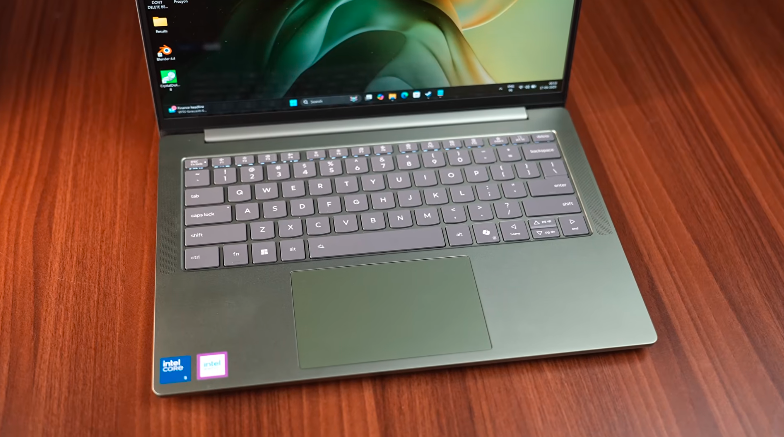
The backlit keyboard is white. As soon as you turn on the brightness, you get 2 levels of brightness. It also has auto mode. It will adapt to the lighting and keep the brightness down. The keyboard has good feedback, it is tactile, and you won’t face any issues. If you like programming or making notes, then typing is more useful. Function keys also have many shortcuts and a dedicated copilot key. You can change the modes of the Q to adjust the performance. It doesn’t have a fingerprint scanner,nner but it has face unlock support.
Ports:
On the left side, we have an HDMI 1.4B port, 2 USB Type-C 3.2 Gen 1 ports, and it is fully functional. It also has charging support, meaning you can do power delivery. Data transfer is also supported, very fast. And it has DP 1.4 support, so you can also get display output through Type-C. And next to the Type-C ports, we get a headphone mic jack combo. And on the right side, we also get 2 USB Type-A 3.2 Gen 1 ports. One is a micro SD card slot, and one is a power button.
And yes, if you want to charge with a normal charger or a GAN charger through Type-C ports, which are available in the market nowadays, like Nothing, CMFK, and other good ones, then you can charge it through them too. But it willslowlyrge slow, if you charge it with 65W, then it will charge fully because it has 65W support. If you want to charge with display output, then you can charge it through HDMI ports and Type-C ports.
It will come from the iGPU, and it will be better up to 4K60. HDMI will not be better than 4K60, but you can take a higher refresh rate output in 4K with Type-C ports because they have DP 1.4 support, but HDMI will not go above 4K60. And yes, many people ask whether multiple displays will support it or not. Up to 2 displays are good. You can also do 3.
AI Features:
We get all the basic AI features in it, but what is the difference, because there is no dedicated NPU, no co-pilot, and no dedicated graphics card. Through which you can use the NVIDIA AI performance. So the basic AI performance of the processor will be found in this laptop. But there is no problem if you do normal work in your day-to-day life. Like, if you want to runCo-Pilott, then it will work fine. Live captions are also available on it. If you want to do translation, watch videos, etc., then it works. And in the paint app, we also get Co-Pilot support. So if you want to use background, etc.
So, AI performance will not be much on your own device, but yes, the AI work on the online is fine. It works in every Windows laptop; there is no problem.
Display:
Now comes its display, which is its main highlight; it is OLED. We get a 14-inch 2.8K OLED panel in such a strong budget. Its bezels are also very minimal. It gives a premium feel to the display. Brightness is also enough. You won’t face any issues in indoor and outdoor. It has a brightness of 400-500 nits. And the peak brightness reaches up to 1100 nits. And it’s color accurate because it’s OLED again. We get 100% supportfromf DCI-P3. So, if you want to do color grading or any color accuracy work, it will be good for you.
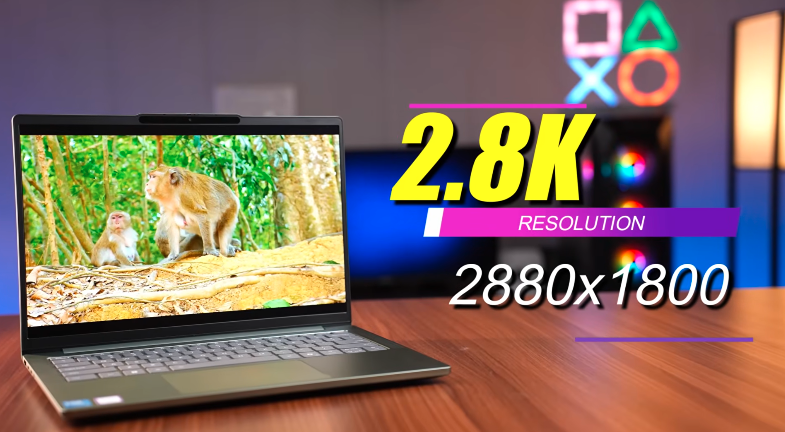
Even if you like to do content consumption, like many people like to watch student series, Netflix, etc., and just sit and chill, keep the lightweightanywhere and enjoy the display. That will all be good in this. Another good thing is that the refresh rate in this budget is 120 Hz, which is not coavailablen any laptop today. In the Thin and Light segment, even if there is an OLED display, the brand is not giving more than 60 Hz. But Motorola said that we will not disappoint you.
Speakers:
The speakers are crisp, the quality is good, the vocals are clear, but you won’t get bass. You can consider it as average. Dolby Atmos won’t give much fun in speakers, but if you use a Dolby Atmos compatible device like a headphone or a soundbar, then it will give full support. There is also a Dolby Atmos application,n so you can tweak things with it.
Specifications:
It is very good. Gen 4 is very good. And it is upgradabto in SSDs. This is a very good thing. Two slots are given in this with an SSD. One is 2242, and one is 2280. Both are Gen 4 slots. Basically, one small SSD will be installed, and one big one will be installed. Which is full-size. And you can easily upgrade 1 TB per slot. Talking about RAM, we get 16gb in this laptop. There are two RAMs of 8GB in two slots.
But if you want to upgrade, then it is also upgradable. Whereas, mostly, in such thin and light laptops, we don’t get upgradable RAM. We get the LPDDR one, soldered. Lenovo also doesn’t have a lot of upgradable support in laptops. But it is given in this.
Performance:
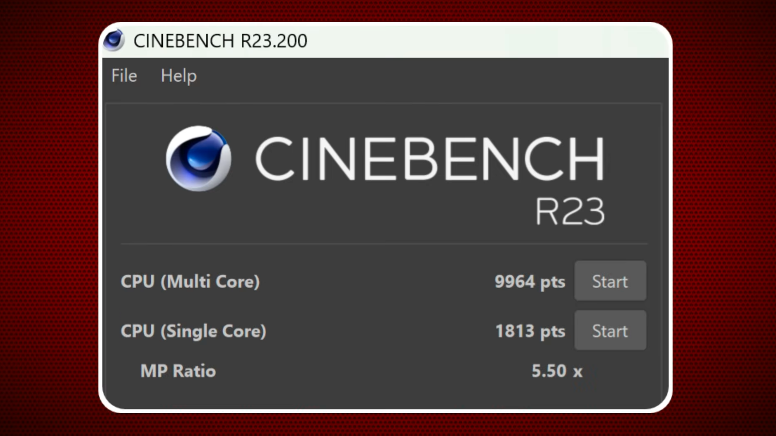
Apart from this, we get the integrated graphics card, Intel R graphics. You can say that the Iris Xe graphics tend to come toutave a similar performance. You can see the score in picture Cinebench R23, what score came, you can also see the score of Cinebench 2084. See the score of Geekbench 6 in front of you. You can also see the OpenCL score of Geekbench 6 for CPU and GPU. Rest, see the score of PCMark 10 and Blender benchmark, you can see the CPU score and cross mark score also. Now these things come in the form of comparison with these scores.
There is no lag, no shutter, no problem. It will be smooth. You will enjoy your day-to-day life. Apart from this, if you want to do productivity, then you will do a little OLED display. You will not have any proper problem. But don’t use 3D Photoshop. It is not that high-level because it needs Ga PU. But normally in 2D, you will not have any problem. If you are a video editor, then we did a PremiereProtest. 1080p high-level editing will do it, but in 4k, it will not perform much better. But 1080p does not have any problem; it does this seamless work in it, and our videos are also like that type of editing.
Battery:
Now let’s talk about the battery. We get a 60Wh battery in this. So they have given a good battery ccapacity-wise But because it has an H series CPU, it is a little bit It gives very little backup. It eats the battery. So, if you want performance, you have to sacrifice a little battery. But still, it will give you a 3-hour backup even in high-performance mode. If you put it on battery saver, it will give you 5 hours easily.
Conclusion:
Now the question is whether we should go for Motorola or not. Because Motorola is very popular in smartphones, but new ones have come in laptops. This laptop is just like Lenovo’s IdeaPad Slim 5, so you will not face any issues. At this price, you will get good battery backup, good gaming performance, good working performance, and much more from this laptop.