MacBook Pro M5 Review: Is it Really Worth or Not?
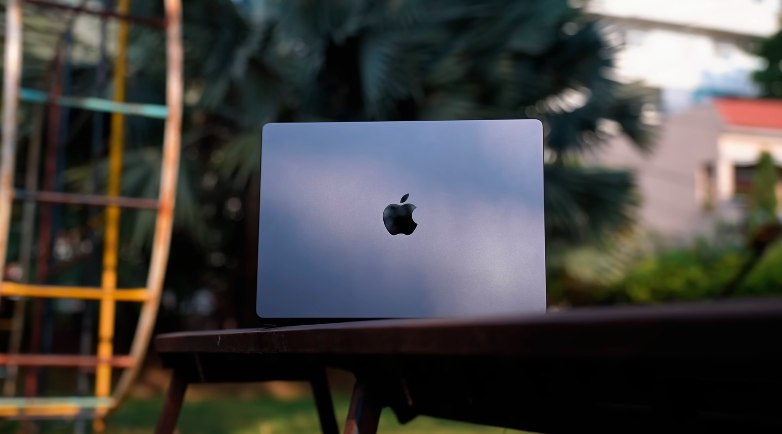
Table of Contents
Intro:
What is the difference in performance? The thermal system is different. How is the gaming performance? And where does the M5 stand compared to the last chipset? We will cover all the details as always. Today, we’re gonna review the MacBook Pro M5.
Build and Design:
It is a MacBook; design-wise, it has a full-on premium feel. It has a metal body, Apple logo is also there. Ditto, The same looks are there as the previous Pro or if you compare it with Air, There is no difference in thickness, There is no physical difference But the build quality is very solid, The lid opens easily with one hand and the top lid can be opened with the maximum of this much space There is no screen wobble, No top lid or keyboard flex, It comes with a very good solid build, It is a little old MacBook, The paint comes off in some corners like this And the same thing is happening with the iPhone 17 Pro.
And at the bottom, You will get rubber padding, It is a MacBook Pro branding and the weight of this laptop is 1.55 kg, If we compare it with Air, It is around 300 grams Air is around 1.2-1.3 kg and the MacBook Pro’s thickness is 15.5mm It doesn’t feel that much heavy, It is handy, You will get the same Apple feeling of 14 inches, But the Pro gives a little pro vibe.
MacBook doesn’t have a fan. The intake vents are the speaker grills on the left and right sides. The exhaust is on the scree. It is very silent; it doesn’t make any noise like a gaming laptop.
Keyboards and Trackpad:
It has a scissor switch keyboard. Typing feel is very good. It has single color backlit keyboard. White-colored light is available. You can control its brightness in the settings. By the way, its brightness is reduced according to the surrounding lighting. Touch ID is available. You can put your finger on the power button and unlock it.
According to us, if you give FaceID in MacBook,k you will feel VIP. And there is a good trackpad,d and it is a force touch trackpad. It feels like something is clicking,g but it has a haptic motor inside, and the gestures are very good. It runssmoothly,h and the color of the trackpad is a little lighter than the body color.
Ports:
Now let’s talk about the ports, It is a Pro laptop and it has more ports, On the right side, you get a HDMI 2.1 port in which you will get up to 8K 60Hz 4K 240Hz output Type C Thunderbolt 4 port is also going up to 4K 240Hz during testing And this type C port supports 96W PD And here you get a full size SD card slot If you are a videographer, photographer, editing etc. on the go and want to transfer data then people buy MacBook Pro etc. for that And in the left side of the ports you will get a MagSafe 3 charger port And the free adapter that comes in its box is a 70W adapter And if you want to buy a 96W charger then for that you have to pay extra.
We get 2 types of Thunderbolt 4 ports on the left side, and the specs arethe same as the right side port. You get a headphone mic jack combo.o So, as such, you won’t get any disappointment in the ports. It is a MacBook,k so you will have to buy a hub, which you will have to buy separately. In the future, Thunderbolt 5 ports will come in the M5 Pro or M5 Max.
Display:
The display is the same as the old MacBooks of the Pro series. It has a 114-inchLiquid Retina XDR display, a Mini LED display, which we hear in Windows laptops. The display is definitely good because the resolution is 3024×19.4. It has a ProMotion display of 120 H,z and if you use it while using ithe n air, it gives a 60 Hz vibe of air. It is not fun. ProMotion is amazing; it has 2-4 icons while falling out. It is said that the outdoor brightness can go up, and the content in HDR can be boosted in specific windows. You will not be disappointed by the brightness.
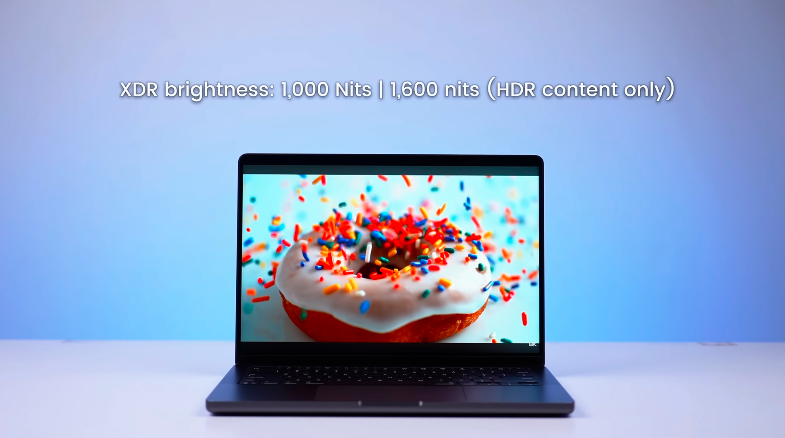
It will be fun to watch content content and if you are doing color grading or color accuracy tasks then also its display is good But yes, we get glossy display so reflections will come on the screen if you are using it in a well lit environment Otherwise, you get matte screen guards in the market if you are not enjoying glossy display then you can use that but yes, It will impact on brightness with that type of screen guard. The display is good in terms of content, dynamic range, etc. The display istop-notchh.
Speakers:
The multimedia experience is also very good. We get 6 speakers seset .pThere are tweeters on the left and right side of the keyboard, and on the bottom right side, we get speakers. It is very loud, crisp, and feels like stereo separation.
Specifications:
Now let’s talk about the technology. You get the M5 silicon chip, p, and it has a 10 core CP It doesn’t have the variant that there arelower-endd variants withfewers cores andhigher-endd variants with more cores, which are mostly used in air. Here you will get the same chipset in all variants, and we have a 16GB RAM variant. nt, If we go above this,s we get 512GB SSD and proper Gen 4 speeds. In connectivity, we get WiFi 6E and Bluetooth version 5.4.
Performance and Benchmarks:
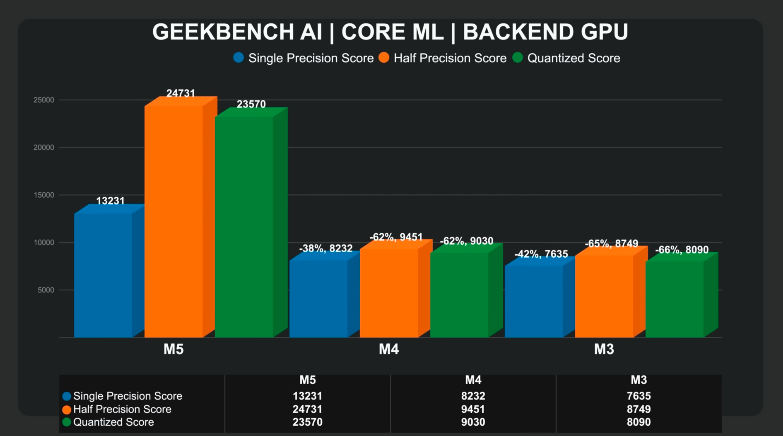
If we talk about performance,e we get performance of M3, M4, M5, M5 scores are go,, od and they ga ive 15-20% jump every time. Geekbench 6 is also 17% better than the last generation, and M3 is much better. If you are a student, then you can easily use this app for coding, Web development, UI development, Android development, Android sStudio etc. If you want to develop any Apple ecosystem tool, then you will need a Macbook in which you can use any app development.
If we talk about music production, then we get Logic ProX. It is very optimized,d and it works better in Pro. And in Pro, there is a fan, and it is aCCPU-intensive taskk, so you will get benefits in long hours compared to Air. Because it is managed by thermals. And if we talk about AI performance then there is not much difference in CPU, M3, M4, M5, it is the same 8-9% difference but as we talked about iIf you select the back-end on GPU, You will see the difference because in every GPU core, We get a neural accelerator, Due to which AI performance is same as in iPhone 17 series. Now they have done the same in the MacBookM5’s5 latest chipset.
In Photoshop, You can use any PSD or any file and it runs optimally In video editing, You get the same performance on battery and off battery You can do the timeline without rendering and it is very smooth Compared to a Windows laptop in which if we would have rendered the timeline then you get a better experience And yes, Compared to air, It doesn’t get hot as it is due to a better thermal system So, You will get benefit in long hours If you are a professional video or photo editor then you should go for the pro side Then you can go for any MacBook depending upon your budget and yes, after effects.
If you compare it with M3, you will get a lot of differences. And in Blender, BMW rendered it, M4 took 22 seconds,s and M5 took 14 seconds. If you look at the seconds side by side, you won’t feel much difference, but in big projects, it takes a lot of time, nd the gap is also very big. If you want to doGPU-intensivee tasks at pa roductivity level, you can do it easily.
Battery:
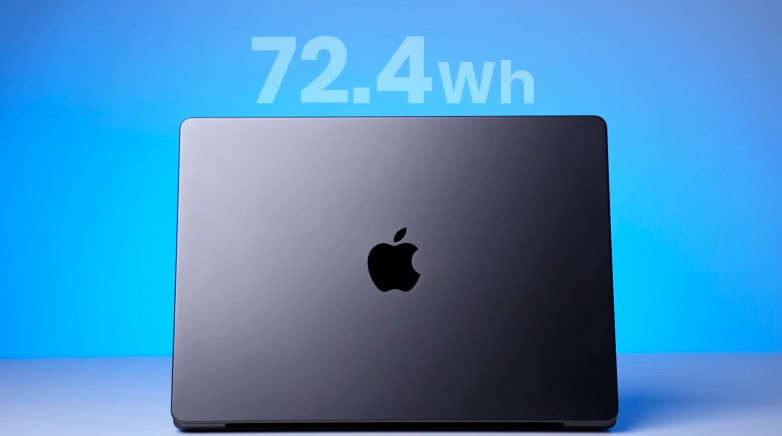
The battery is of 72.4 watt and if you just browse it on brightness 50% Then you will get 16-18 hours of backup because it doesn’t have power modes. The useof cachangel change. If you are doing multimedia, browsing, coding, then you can get 10 hours of bbackup and if you are doing editing.
If you are doing photo editing,g then it will take around 5-6 hours, and if you are doing heavy GGPU-intensivetasks then it will take less than that. MacBook does not disappoint in battery backup. The 70W charger that comes in the box charges around 30 minutes at 45% and 100% at 1 hourand and 25 minutes. So the charging speeds are also good.
Conclusion:
So this was the review of MacBook Pro M5. If you buy any Windows laptop, you won’t get such performance, even if Intel and AMD work on AI or CPU or GPU level in thin and light laptops. Apple is doing well in its place,,e and if you are on M3, you can jump on M. You will definitely feel a significant jump in performance. If you want, you can ignore the Mbut ififf your task is AI and machine learning relate thennn definitely M4 people will feel a difference in M5 because we get a lot of neural accelerators in M4.
Definitely, MacBooks are better in many ways and multimedia productivity will also be there But not everyone wants to do gaming, Some people want good form factor and performance, They just want to do productivity tasks and want to buy an Apple laptop So, These are for them, Thin and light, Powerful laptop So, Don’t get into the gaming thing everywhere.