Lenovo LOQ 2025 Review: Better Value or Not?
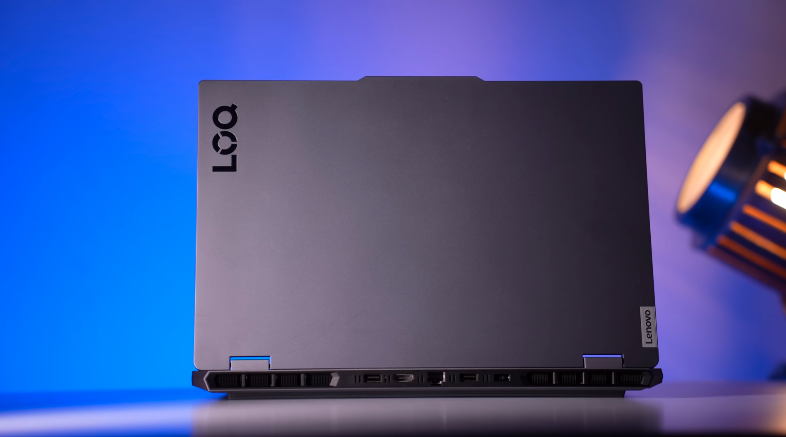
Table of Contents
Build and Design:
The laptop comes with the same 2024 looks they haven’t changed anything physically apart from the hardware And it has a 245W power break which is the variant we have Rest, It starts from i5 If you go to Lenovo’s website, You can customize it from 13450HX 5050 to 14700HX 5060 And what is the detail about the design the top lid is the same, The same lock branding, The same polycarbonate build, There is no improvement in the build, It follows the same 2024 variant, The weight of the laptop is 2.4 kgs, If you include the charger, It will be 3.2-3.3 kgs, There is no exhaust vent on the left and right, Which is on the back side only, Because they have continued the hyper chamber cooling in it.
The CPU and GPU are air-produced and the exhaust is from the back. The intake vents are at the bottom, and the design is similar to the previous lock.
Specifications:
Let’s talk about the specification. We havean Intel Core i7-14700HX variant with 20 cores and28-thread processor. Which has 8 P cores and 12 E cores. It has 32GB RAM, DDR5 5600MTPS dual channel, and it is good with 32GB RAM. It has a graphics card RTX 5060, 100W T, GP, and 8GB VRAM GPU. It has a 1TB Gen 4 SSD with read and write speeds of 6300+ and 5500+, and it has 2 SSD slots in the laptop. One is occupied, and the other is free. You can expand it in the future if you want, but it can easily reach a 2TB slot.
In connectivity, it has Wi-Fi 6, Bluetooth v5,2 and the L1 AI chip, which we were getting last year.ar Basically, it does algorithm-based tuning. The type of tasks you are doing will consume your resources, such as CPU and GPU voltage. So, you will get optimum performance from the laptop.
Performance and Benchmarks:
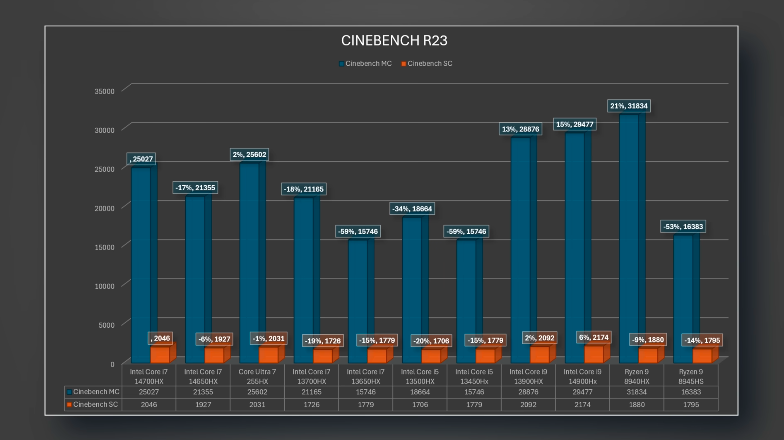
If we compare the 14700HX side by side with other CPUs, then it performs very well at this price point. For CPU performance benchmark,rk you can see Cinebench R23 scores are very good, 25000 multicore and 2000 single core. Cinebench 2024 scores are also good, and Geekbench 6 benchmark multicore and single-core. Any task like high-end programming, coding, music production, etc. CPU will not disappoint you. Deepseek R1’s 32 billion parameter model was run using LM Studio. The outcome was 6 minutes 20 seconds, and you can see the token information on the screen. And it has 32GB RAM, M so we could run this mod.l, It is not available in 16GB RAM laptops because it requires this much. For overall productivity, PCMark 10 didn’t run in this, but it had aacross-markbenchmark.
Then comes the editing and designing one, 9600+ After Effects 9400+ DaVinci Resolve 8000+ Photoshop 9000+ Meaning, Any level of editing, Photo editing, Video editing, 4K 60 FPS Or even above that Multi layer editing with all the effects and transitions Will be easily handled by the laptop And if we talk about the GPU Then the benchmark of the Blender is 3300+. You can do 3D modeling, rendering, and architecture tasks easily, Whichever high level GPU intensive tasks will be done. Depending upon the VRAM, the type of game development, 3D modeling, Textures, Layers, and resources are consumed, we can say intermediate or a little above performance. Otherwise, you have to spend money on it.
Good for Gaming?:
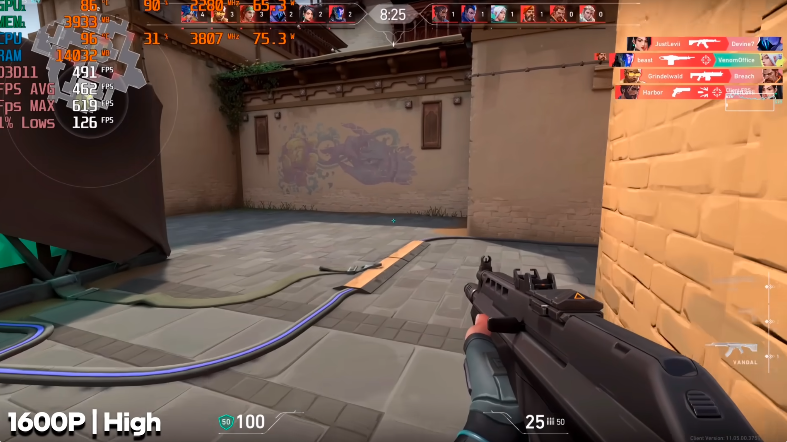
1600p resolution, which is the native resolution of the laptop. On average, it will get 450-500 FPS easily. The CPU will go around 95-100 FPS when the power draws 70-80 FPS, and in the next game, like GTA 5, the CPU voltage is pushing less, and the GPU is pushing more, and the average is around 45-50 FPS. If you want to get more FPS you can play on low settings and this is 1600p so here we are getting 60-65 FPS on an average and you can get as much as you want in the lowest possible settings in an esports game then tested RDR2 favor quality i.e. highest possible settings that is 65-70 raw performance 70-75 DLSS quality, Cyborg Ultra settings around 50 FPS and it has frame generation, This is 2x which is available in 40 series, It has double FPS.
If the base frames are good, then the 3x and 4x performance will also be good But the 3x performance is similar to 2x And there is no problem in playing multi-frame generation in story games Any e-sports or any souls-like game, you can have a problem because of the input lag with frame generation AI generated frames After that, Hogwarts Legacy Ultra settings, 1600p, DLSS frame generation, Ray tracing ultra, 80-90 FPS, Raw performance is playable And after that, Horizon Forbidden West, the raw performance didn’t come out that good But if you put frame generation there,
Playable 50-60 FPS. There are some drops that come up to 40 FPS. After that, in The Last of Us 2, Very High Settings, ding 45 average FPS in raw performance, but by applying frame generation You can get 70-80 FPS. Apart from that, it will give a good taste in 1080p just like.4060, You get an extra multi-frame generation.
Ports:
Ports are the same as last time. On the right side, we have a USB 3.2 Gen 1 Type A port, a Type C USB 3.2 Gen 2 port Which supports PD up to 65-100W PD if you have a charger. Along with that, Display output is also there, but it is fromthe GPU. Proper DP 1.4 specs, it was going up to 4K 240Hz in the monitor. Rest, 3.5mm jack and an e-shutter button Rest, The ports are on the backside Power input, RJ45 LAN port, HDMI 2.1 port, Its output is RTX 5060 And this is also 2.1, It was going upto 4K 240Hz And 2 USB 3.2 Gen 1 Type-A ports are available So, Laptop doesn’t feel any lack in the ports Because there are 3 Type-A ports And yes, There is a MUX switch, It is 2025, It is a very common thing.
Keyboard and Trackpad:
Apart from that, Keyboard is available with a change First, There was a 4-zone RGB keyboard, Now, There is a 24-zone RGB keyboard It is the same, It is a full size keyboard and the feeling is same as the previous one The keyboard keys are the same as it is, It has 1.6mm key travel and the typing experience is good And we get full size arrow keys which are a little compliment to this keyboard And the trackpad size is same, It is not big, It is medium size trackpad It is good to use, It is fully clickable and it supports multi gestures.
Display:
Let’s talk about the display. We get a WQHD display. It also has a full HD option. You can select it when you customize it on Lenovo’s website, and you can save money if you want. The display size is 15.6 inches, 165W refresh rate, and there is no dynamic refresh rate support. We did the brightness test, and it was up to 337 Hit. The brand said 350. It can go up to that depending on the content. The color gamut is 99% sRGBYou can see the other color gamut.
Apart from that, there is no support for HDR and no external certification. If we get La enovo Legion laptop, then it is the same thing. Even on all the variants Whether you are buying FHD or i5, You will get 100% RGB display in all of them And as the color gamut is good, You can do color grading tasks, Playing games is fun and overall display colors are also good So, If you will see OTT, Then the display will not disappoint you And this is its webcam test, Mic is also being used for the laptop and quality. The quality is better because it is a 1440p 30fps webcam. The light control is also good. There is no overexposure.
Speakers:
Like the previous one, the speaker is not that loudass expected. It is a bit below average type of sound, but yes, it supports 9 mic. You can do customizations in the 9 mic software, depending on your content.
Battery:
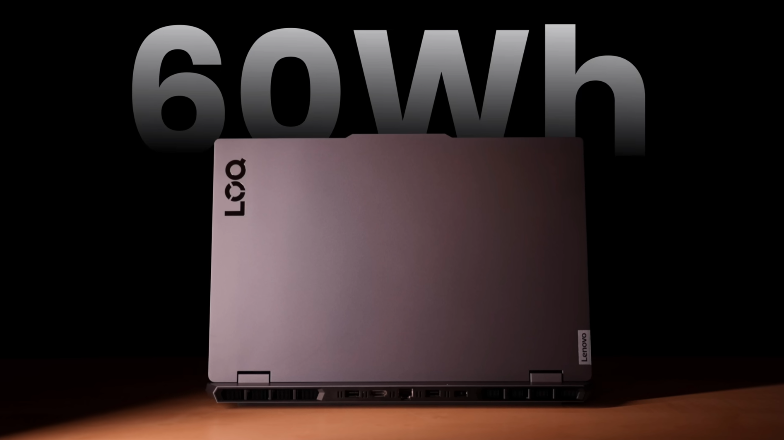
The battery is also the same. It has 60Whr. Rumors are that 80Whr can also come in the Lenovo lock. You will get good battery backup from this laptop. Keyboard backlit off and 3 hours of battery backup in basic usage. If your usage changes, then battery backup can be adjusted up or down. If it had 80Wh, then it would have added an extra backup of 1-1.5 hours. The charger of this laptop is 245W, So, It charges in 50% in 30 minutes and 100% in 1 hour. So, the charging speeds are good.
Conclusion:
So, this was the full review of Lenovo LOQ 2025. If you are a student and want a laptop for office use, or you need a laptop for some gaming,g you can definitely go for this one.