Lenovo Legion Pro 5i: One of the Best Laptops from Lenovo
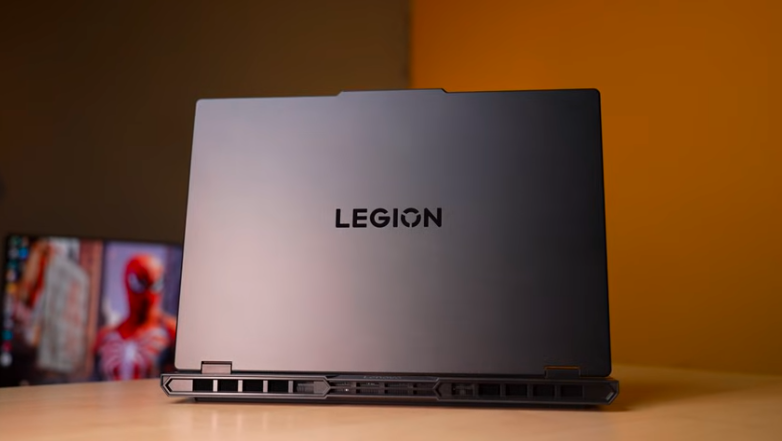
Table of Contents
Build and Design:
Let’s start with the design. We get the top plate of meta. It is a branding of Legion, so the placement of the Legion logo is different. First, the ports were on the back side. Now they are on the left and right sides. First,t there was an IPS display. Now there is an OLED display. Now, almost all laptops are coming withOLEDsS. And before it was a 4-zone RGB keyboard, now it is a 24-zone RGB keyboard, and of course, New specifications, New processor, Graphic card are also coming. And design-wise, the top plate is made of metal, it is a branding of Legion, and the bottom plate is of Lenovo.
And the weight distribution is good, it opens the lid with one hand, it goes up to 180 degrees, and the hinge is stable. It is a Legion, So, The case is steady from the beginning. And the keyboard flex is very mino. The top lid flex is also minor. And the interior and bottom of the laptopares in a polycarbonate build. The air vents are down below. There is no exhaust vent on the left and right sides. All the exhaust vents are on the back. And the laptop weighs around 2.25 kg,s and if we include the charge,r it reaches up to 3Kg It has a thickness of 25.95mm So it is quite thick.
Let’s compare it with the Legion 7i. The Legion logo doesn’t have RGB, Vents has RGB, Vini doesn’t have it. The keyboard has perkRGBGB. It has 24 zones. The difference between the processors is that it comes in Ultra 7 and 9. It starts with Ultra 9. The difference between the graphics cards is that it has 50/60/50/70. The starting is 50/70 Ti, and it goes up to 50/90. The difference between this display is that it has a display up to 165 Hz. It has a display up to 240 Hz. You can make your buying choice according to your budget.
Specifications:
Let’s talk about some technical things. It has an Intel Core Ultra 7255HX processor, which has 20 cores, 20 threads,s 8 P cores, and 12 E cores. P cores are performance cores. If you do performance-centric tasks, then P cores are assigned to i.t E cores are efficient cores.s, If you are doing small tasks or if you are browsing in the background, then efficient cores are used there.
Then there are H laptops which are in a little less budget, This is HX, These are desktop replacement CPUs And in this architecture, We get dedicated NPUs But this is the same NPU that we were getting in Intel Core Ultra Series 1 13 tops which handles very low powered AI task files But in laptop, If you have strong CPU, strong GPU, strong RAM Then AI performance will be good NPUs for power efficiency which is mostly applied in thin and light laptops And we get a graphics card RTX 5060 8GB RAM, 115W of TGP and 32GB DDR5 RAM with 5600MTPS speed in dual channel.
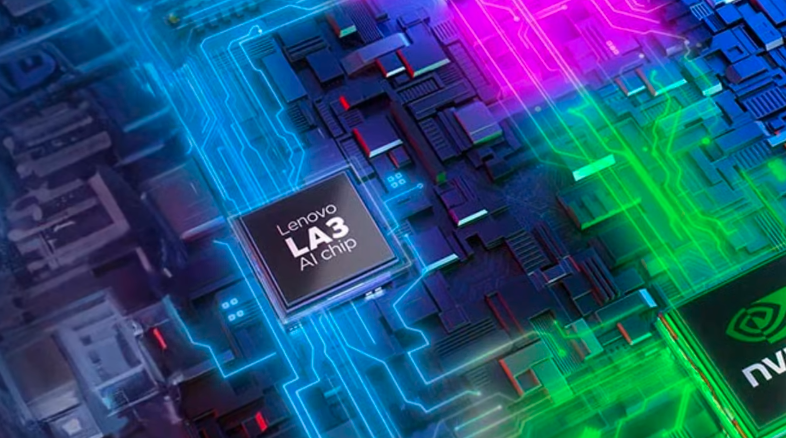
You can upgrade up to 64GB in 2 slots. 32GB is more than enough for gaming productivity. You will egeta 1TB Gen 4 SSD with good read and write speed. 2 slots are dedicated to it. One is 2280 full size, and the other is 2242 with a small SSD. And per slot, you can easily connect up to 2 TVs with this. In connectivity, WiFi 7 and Bluetooth version 5.4, anan d AI chip, which is given in the Legion and Lock series.
Lenovo Ai Chip:
It has both the LA1 and LA3 chips in it. As per the usage pattern of the laptop, they tweak the CPU and GPU according to it. So that you get the best output. If you do more productivity, then the laptop will be tweaked accordingly. If you do more gaming, then it will be done accordingly. So, it will be a customised user experience for you. Basically, it is based on the algorithm. The algorithm is trained accordingly.
And you get an MS Office which you can choose from the Lenovo website, and we get 33 months ofXbox Game Pass with all the Lenovo laptops. So, if you play the game on day 1, if you don’t spend money, ey then you can play in Xbox Game Pass.
Performance benchmarks:
Now let’s talk about performance. First of all, you will see the scores of Cinebench R2. It has 33,000+ multi-core and 2100+ single-core. And above this, Core Ultra 9275HX is also available and can compile high-end programming, development, and other projects in this laptop. You can do any task on the PU level and even music production. Even if it is a high-power GPU, it still works. It has a strong combination, So, They won’t face any problem. Then, let’s talk aboutAI.I, You can see the benchmark of Geekbench 6. In case you compare it with any other laptop.
It has 32GB RAM, So, There is no issue in running 32 billion parameter model.3D modeling and rendering, According to 5060, Blender benchmark is 3700 score and BMW rendered in 19 seconds So, If you want to do GPU intensive tasks and game development then also you can do it on this laptop But it can vary from project to project, Now it is 5060, then 5070, then TI, then 80, 90, Put as much money as you can and do your work smoothly.
Ports:
Now let’s talk about ports. On the right side, there is an RJ45 LAN port, 1 E-Shutter switch for webcam, 2 USB 3.2 Gen 1 Type-A ports and 1 headphone mic jack combo. On the left side, there is a port for power input, HDMI 2.1 with a maximum 4K to 40Hz output with RTX 5060. USB 3.2 Gen 1 Type-C port with display output up to 50Hz.
PD 3.1 support is also available in the Type C port,t which supports up to 140W charging. Thunderbolt 4 port is also there,e in which you can get display output, ut but Intel graphics says that it will taup topto 4K 2,40H,z but it doesn’t have any PD support. Thunderbolt 5 is also available in the Scar series and in the Legion P;o;, Thunderbolt 4 is not there, but it is here.
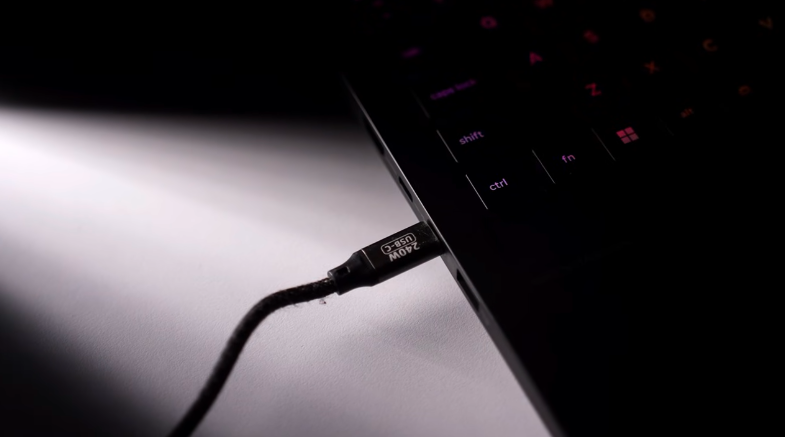
There is a USB 3.2 Gen 2 port,t which is always on, on which you can charge any device. There are no ports at the b.ck, Basically, the number of portis th sameam,e but they aron thein left and right,t and Legion is the best in ports.
Mux Switch:
You get smug switch in Legion Space application innn, which you get multiple options: Hybrid DGPU, IGPU mode only and Auto mode. So, if you want to keep output on IGPU and DGPU completely off for better battery backup If you want to keep only DGPU, then you get good performance,e but battery backup gets less.
Keyboard and Trackpad:
You get Legion True Strike keyboard which is the same as they have been using for many years It has a good typing experience, It has a full sized keyboard, It has a Numpad included, It has a 1.6mm key travel, It has 24 zone RGB which you can customize by going to Legion Space And you also get a dedicated co-pilot key and the typing and gaming experience is good.
Display:
The biggest change isthe displacementl. It has a 16-inch OLED display,y and as it is OLED, you get a glossy display.y, You get light in the room and a black screen in the game. But OLED has its own taste, like the colour gamut is good, here we have 100% RGB, 100% P3, and brightness is up to 500 nits.
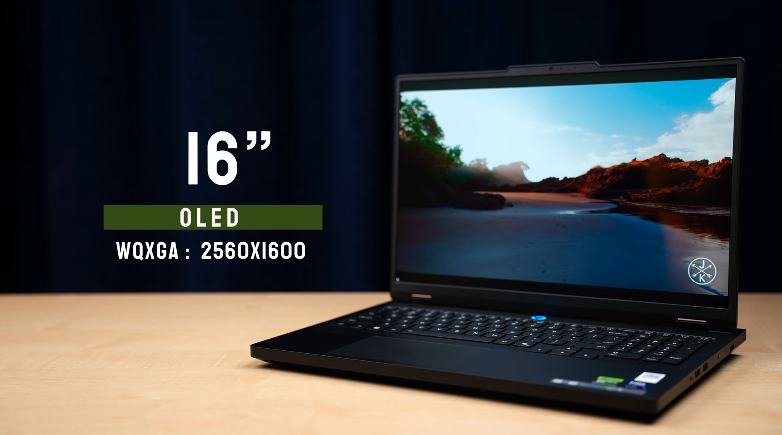
It has a 165W refresh rate, and it supports dynamic refresh rate for battery ssavingsng And it has display HDR True Black 1000 support, or so of couyou. You will get HDR support. It can hit up to 1000 nits on HDR. Not the full display, but 10% wind. You can understand the difference between advertisements and nits.
In terms of certification, Nvidia G-Sync, Dolby Vision, TUV Low Blue Light High Gaming Performance, and RyanLite Flicker Free. All the certifications are aavailable This means that the display is full of joy. You can watch gaming content,t and the overall display is amazing. In this display, there is an in-built anti-burning feature.
Speakers:
It has 2x2speakerss. They are down-firing. Neither too loud nor too low. It gives a good experience. You won’t be disappointed. It has audio tuned by Harman Chacha, and it has a Naimic app, in which you can tune it, Music, Movie, Communication, Gaming, and if you have a headphone or speaker, it will give more impact on it.
Battery:
We get an 80Wh battery. If you are running YouTube, speakeryou will get 2-2.5 hours. It is a gaming laptop. You can’t expect much. It takes around 1 hour and 6 minutes to fully charge. So, the charging time is good.
Conclusion:
So, this was the Lenovo Legion Pro 5i full review. There is the Ultra 9. You get options in both Windows 11 Home and Pro. You can choose MS Office. RAM is available in 16, 32 and 32 which has a mega transfer difference. You can also change the SSD according to the budget,t and the graphics card is up to 50.70. Apart from that, you can change the white backlit keyboard. Then it has an OLED display, it has a lot of ports, Iand ithas a strong build. You can go for this laptop if you want a good gaming and working experience.