Lenovo IdeaTab Plus Review: How’s the Performance?
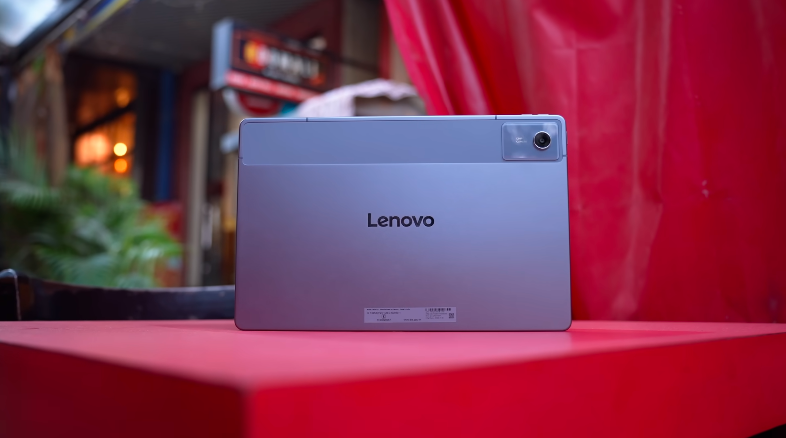
Table of Contents
Intro:
The tablet we have today is the Lenovo IdeaTab Plus. It has 5G plus Wi-Fi & a 256GB base variant. So all these things are very exciting to review.
Build and Design:
The look of the tablet aisimilar to the IdeaTap. The frame is also made of metal. And the camera portion is made of polycarbonate. There are Antenna bands all over the frame. On the left side, there is a power button and dual speaker Dolby Atmos branding. On the right side, there is a volume rocker button. There are 2 mics on top. And you get a SIM tray in which you can put 1 SIM & an SD card up to 2TB. So there is no problem with storage expansion. And on the bottom, there are Pogo pins for the folio case connection.
And they haven’t listed the folio case officially yet. You will get 3rd party folio cases very soon. There is no official information. On one side, there are 2 speakers & a USB Type-C 2.0 port. Yes, there is no display output or fast-speed data transfer. And this is also IP52 rated. Tablets usually come with this rating. The weight of the tablet is around 540g. Its thickness is 6.29mm. It’s quite long & wide. It’s a 12.1-inch tablet. But its in-hand feel is very comfortable.
Audio and Haptics:
One thing that will be comfortable for your ears is its quad speakers. You get Dolby Atmos support here. And when you watch Dolby Atmos content on these quad speakers, you get Dolby Atmos settings in settings. You can turn it on. You get dynamic, movie & music modes in that. You can select according to your content. And content gives a really good experience with Dolby Atmos content. And it has loudspeakers as well.
If a person is givena 5G tablet, one doesn’t need to keep it ringing. Sometimes one can keep it on silent too. Lenovo heard that and said that they’ll give a motor in this. But the motor is very basic.
Display:
Now, coming on to the display. The display is 12.1 inches 2.5K LCD display. But it has a 90Hz refresh rate. According to us, it should have a 120Hz refresh rate. In its setting,s you can’t change the refresh rate from 90Hz to 60Hz. For battery saving, etc. It runs on 90 only, and in the UI too, 90Hz was working fine. The display supports 10-point multi-touch. And there is no information about the protection of the display. So be careful. The screen guard is not pre-applied out of the box. So make sure to get it applied. The resolution is 2560×1600 with a 16:10 aspect ratio. So it’s good for content viewing. And according to tablets, bezels are decent, notit’ss around 87.5%. And it has TURhinelandht flicker-free & low blue light certification.
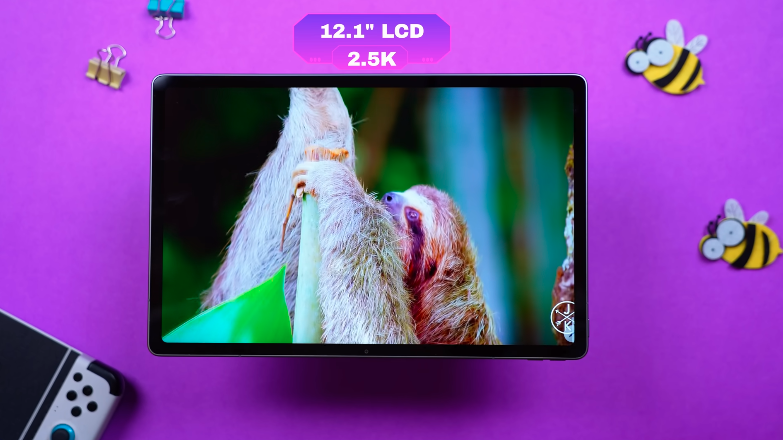
So if you’re using a lot of tablets, your eyes shouldn’t be harmed. And it has a glossy display, so fingerprints are visible on it. It has 100% sRGB, 87% Adobe RGB, 90% P3. We got a brightness of around 457 Nits normally. We get a brightness of around 750 Nits. Which is good according to tablets. It feels good to use it indoorsor outdoorsr.
There is Widevine L1 support in multimedia. So you can watch content at maximum resolution on OTT. But there is no HDR or Dolby Vision on Netflix. And officially, there is no HDR or Dolby Vision support in this tablet. For example, if you run Costa Rica on YouTube, it runs on 1440P 60 Max. And it doesn’t show any HDR. Other than that, the colors are good. You will enjoy watching the content. The speakers also compliment it. And the contrast and colors are good.
Specifications:
Now let’s talk about the technical specs. MediaTek Dimensity 6300 was available in the IdeaTab. There is not much of an increment in this; it has 6400. And it has an octa-core processor, LPDDR4X RAM & UFS 2.2 storage. So you will get less read & write speed. And at this price point, you will get tablets with better specs. But its USP is that it has a stylus within the box, 5G & 256GB. Which doesn’t fall near this price point. Rest, this can vary from user to user. If you want more performance,e or you want to do multimedia tasks or day-to-day tasks.
Performance and Benchmarks:
Benchmark score came around 5,78,000. The CPU throttle test is also very impressing it took 15-30 minutes. The graph was entirely green. Because when there is no power draw or performance push, it remains cool. The loop score was also very decent because it is not a performance-centric tab & the stability is 99%.
Sensors and Connectivity:
In Sensors and connectivity, it has 14 5G bands. In connectivity, it has Wi-Fi 5 & Bluetooth version 5.2. We get 10 sensors in this. Accelerometer, ALS hall sensor, and other important ones are there. You don’t get gyro in this. If you want to do something like this while gaming, you won’t be able to do that in this.
OS and OI:
Then let’s talk about the operating system & user interface. It came with Android 15 with ZUI 17. And the brand says, 2 years of major updates, and 4 years of security patches. Because now it has the Android 16 update. So it will get updates till Android 17. The security patches are quite good. Noticed that Lenovo tablets don’t have bloatware. But yes, it has bloatwarenow.
Stylus:
Talking about the stylus, it’s a 4096 pressure sensitivity stylus. It supports palm rejection & tilt detection. It also supports pressure sensitivity. You can’t charge it. It works on a Tetra A battery. You can see the battery information in the settings. It supports handwriting. You can convert it to text automatically if you don’t want to type. You can set a shortcut. Like screenshots, easyjot, quick notes from the right corner. You can also enable or disable the sound of handwriting. Just like a pen makes sound while writing on paper. On the side, you get a toolbox.

It has the easyjot feature, circle to search, partial screenshot, new note, etc. And there is very little latency. You won’t notice it in the overall day-to-day tasks. You can also stick the stylus at the back. If you are traveling with a tablet in your hand. You don’t have to keep it separate. Still, it can fall as it is through the magnet. But the magnet is very strong. Even if we shake it like that, the stylus moves a little, but it doesn’t fall.
AI:
We also have Lenovo AI built into the table,t and to access these features, es you need to log into your Lenovo account,unt, and you have AI continue writing, rewriting, and summarizing. Continue writing will expand the current text you have selected,d and you can choose from various tones and also switch up the style. We also have Google Gemini built in, and it works as intended, for example, with utility tasks, along with any other use case you would have with Gemini, like generating text and such, but you can always jump into the Gemini app too. So productivity in here for students and kids will be no problem with the floating windows, PC mode, and your kind of normal daily tasks handled quite well.
Battery:
This tablet has a 10200mAh battery. If you compare it with the IdeaTab, it has 7040mAh. If you are concerned about the battery, you will get a bigger size. It has a 45W charger in the box. It takes around 1 hour, 10-20 minutes to fully charge. In our case, there is continuous testing where video, multimedia, audio, apps,s and day-to-day tasks are running simultaneously. It gave 7 hours of continuous screen time. So, if you run it on and off, you can get more than 1-2 days of backup. Depending upon your usage, like whether you are doing normal tasks, Multimedia, or gaming, it can go up and down. It won’t disappoint in terms of battery backup.
Camera:
Then coming on to the Cameras It has a 13MP rear camera, 8MP front camera. It records in 1080P 30. It records in 2K 30FPS in normal room lighting. They are just like what you can expect from a tablet. You can sharedocumentst and text files. In the camera app, we have documents, photo and videos. In the settings, things are quite simple here too, with generic options like reference lines, QR recogniti on nd front camera mirror. For video quality, both front and rear cameras can record at 1080p. So, for that, you get decent photos.
Conclusion:
This was the complete review of the Lenovo Idea Tab Plus. There are many tablets around this price point, which you will get better performance. If your main goal is a big display, Big battery, Stylus, 256GB along with a stylus then you can go for this.