Infinix XBOOK B15: A Budget Friendly Laptop
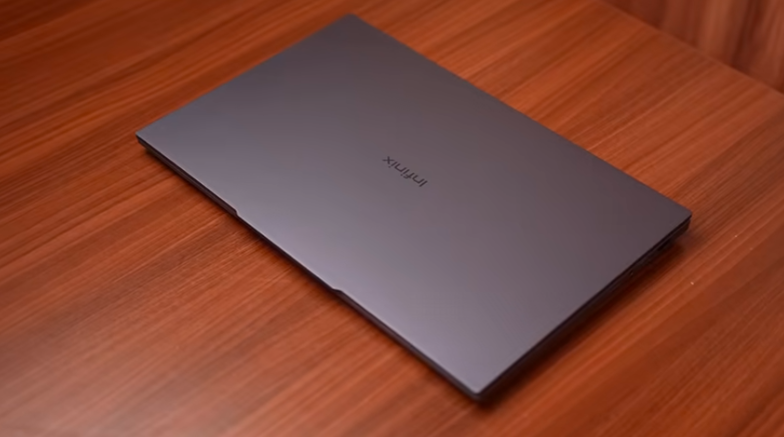
Table of Contents
Build and Design:
The laptop is in a space grey color, and looks are very subtle. It has a simple, plain top lid with branding, and yes, the top lid is made of metal, and the rest of the laptop is made of polycarbonate,e like the keyboard area and the bottom area. The weight distribution is good. The lid opens easily, and the maximum is around 160-170 degrees. The base lifts a little while opening the lid, but the laptop is not lighter at all. It is a laptop of 1.65 kgs.
It can easily reach up to 1.8 kgs, and it doesn’t hit the 2 kgs segment. So, it targets students and working professionals. The laptop is not that thick, and it is around 19.5 mm. And it is military standard certified. So, if you get a shake back or many tests, then you get this certification. It will not be bad, but if you don’t want to keep it, you can throw it anywhere. The screen bobble is good, Keyboard flex is not good, and top lid flex is not good. Overall, it feels solidly built at the price.
Specifications:
Let’s talk about the specifications. We have an AMD Ryzen 5 5500U processor laptop. It also has Ryzen 7 5825U. If your use case ia s little more, you can invest a little more in RAM. It comes with AMD Radeon graphics iGPU, 16GB DDR4 RAM, 2 sticks of 88GB in dual channel, 3200MTPS speed And you can upgrade it to 64GB RAM. It is more than enough. It works in 8GB RAM too. Who wants 64GB RAM? And it comes with a 512GB Gen 3 SSD.
You can upgrade it up to 2 TB. It has a single SSD slot. If the storage is less, then there is a slot for a micro SD card on the right side. You can use it as a storage expansion. You can also use the cheaper one. In connectivity, WiFi 5 and Bluetooth version 5.0 It doesn’t have MS Office.
Display:
Then comes the display. It is 15.6 inches IPS display with a 16:9 aspect ratio because it has a 1080p display and it has a 60Hz refresh rate. It has 250 nitof s brightness. We tested it, and it was around 280 nits. Color gamut is basic, 66% is RGB, 47% is NTSC. It has a decent display. If you want to watch OTT, Office work, or meetings, it won’t disappoint you.
You can’t expect an accuracy task. Obviously, there is no processor like that. Whether you are doing video editing at an advanced level or anything else, obviously, the pricing is. Keep that in mind.
Ports:
All the major ports are available. On the left side, we get a DC power input port, which is not available in this box. It comes with a charger, but this port is not available in this box. If you have it, you can charge it with it. Apart from that, there is an HDMI 1.4 port, 4K 120H,z and 1440x240Hz outputs available. And there is a Type C port, which supports power delivery. You can charge this laptop with any 65W charger. This is a good thing. Usually, Type C PD support is rarely available in low-rate laptops. This type C port supports display output as well. It supports 4K 120Hz and 1440x240Hz.
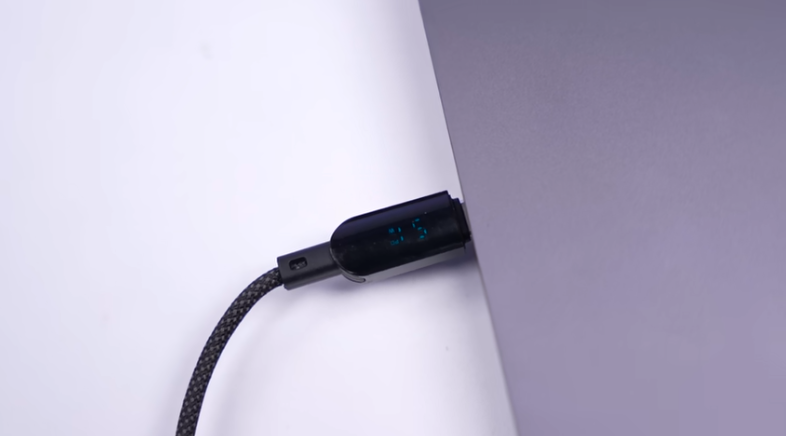
USB 3.2 Gen 1 Type A port and another Type C port, and this Type C port is USB 2.0 Because the data transfer speeds were around 40 Mbp,s and there is no display output. ut On the right side, we have a Kensington lock and an SD card slot. Apart from that, 3.5mm audio jack, 3.2 Gen 1 Type-A port, andan RJ45 LAN port. So, overall, the laptop comes at a good price point. No disappointment.
Keyboard and Trackpad:
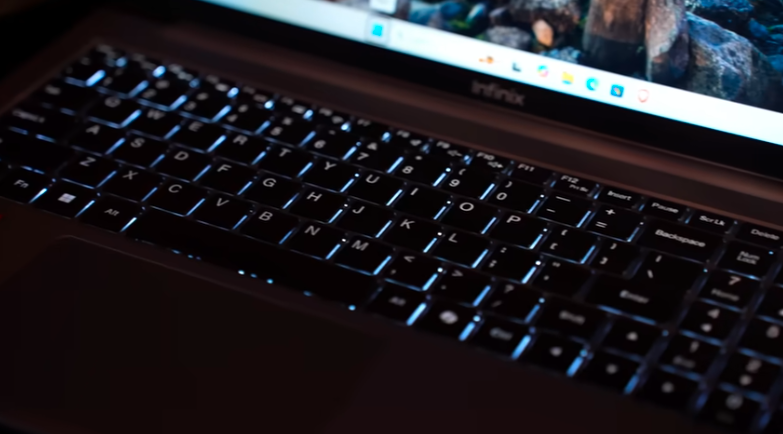
It is a 15.6-inch laptop with a full-size keyboard, a numpad, and all the keys are big. The typing experience is good. It has a dedicated co-pilot key. And it is a single-color backlit keyboard. White color light, 3 levels of brightness, and it looks good in the dark. This is a trackpa. It is medium-sized, it supports multi-gesturessitIt is fully clickable. Don’t take it too seriously because it is 50% lower than the other ones, but there are no dedicated clicks, so that comes in the fully clickable category. It is a little rough to run. Its texture is not that smooth, so it will take some time to get used to it.
Speakers:
The speakers are very good. It has 2 1.5W speakers for down firing, but it doesn’t feel like 1.5W, because brands that write 2W, they feel very low. This one is very loud. It is loud and fulfilling. You won’t be disappointed. It has DTS audio processing. You will get an app for that too. If you want to watch any content in speaker or headphones, it is for peak output.
Battery:
It has a 50WR battery, and the laptopinf the price segment has the biggest battery. It is in battery saving mode, and the speaker is on 100% volume. Brightness is 50%, which includes YouTube playback, browsing side-by-side applications, etc. It has a battery backup of 5 hourand s 20 minutes maximum. And if you charge this laptop with 65W charging, it takes 2 hoursand 15 minutes to fully charge the laptop.
Performance and Benchmarks:
Finally, let’s talk about performance. First of all, look at the benchmark; the numbers are right. R23 is around 5800 and 1100. Geekbench 6 has multi-core and single-core numbers. Geekbench 6 has an AI benchmark. Obviously, this machine is not foAIAI You can do cloud-based AI, Go-pilot, ChatGPT; it is for its performance locally. This is an entry-level laptop, so it has these benchmarks. So if you want to do anworkop at this price point in the future, you can compare it. Higher is better. Now let’s talk about a real-life use. If you are a student or a working professionayouYou can do any work just like day-to-day tasks. You have opened many side-by-side applications and many tabs in the browser.
You get a small lag shutter depending upon the RAM consumption So, In day to day tasks, You can run your OTT, Music, Office work, Meetings, If you are a student then you can study a lot, There will be no problem in that laptop If you are a student and you want to do coding then you can do beginner level basic coding like Python, C, Java Or if you are going for web development then you can do HTML, CSS, etc. If you want to go for Android Studio or App development, then you need a GPU for that, and you will have to increase the budget.
Conclusion:
Those who have a low budget and try to invest in other types of laptops, hope you understood. So, definitely you should go for a Windows laptop because all the users, applications, and the world, whenever you do a job or any work, Windows is more than 90% acceptable. So, you can make your career accordingly. If you are looking for an entry-level Windows laptop, you can definitely go for this.