BenQ MA320UP & Halo 2 ScreenBar: Best For Creators?
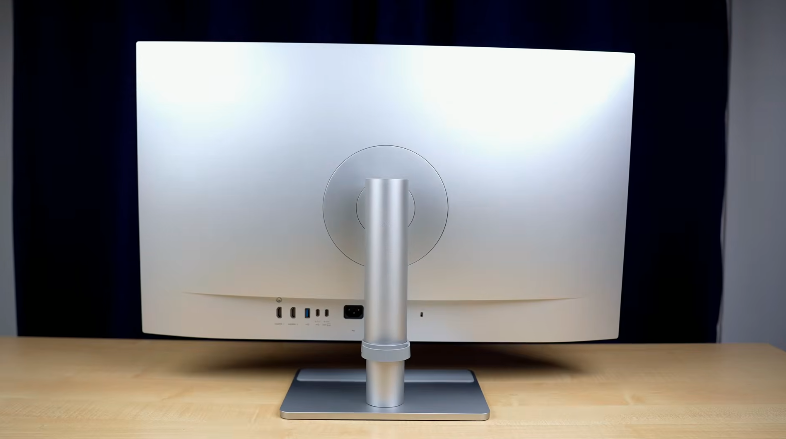
Table of Contents
Build and Design:
So, let’s start with the design. The monitor is in a complete polycarbonate build. The build quality is very solid. The panel on the front is glossy. It comes with a matte version, but we said that it is targeting the mac users. You can also adjust the tilt, swivel, pivot, and height. The base of the monitor is also good and sturdy.
It looks clean and clear, and there is a strap for cable management. On the bottom side, there is a power button, a joystick, and the base of the monitor has an extra area with a rubberized texture. You can keep your stuff on it like a smartphone, or you can decorate your desk setup. SoitIt feels like a dedicated space.
Halo Bar Light:
The bar is adjustable, and the clip has different grips that can be adjusted according to the size andtypes of monitor. Whether it is a thin monitor, curved monitor,,r or a bulge monitor, you can set it on any monitor. You can use this bar with any type of monitor.
The wire length is around 1.5 m, and it has a light in thefronto,,nt but we get light in the back as well.l So if your table is on the wall side,e then you don’t need any lamp and the lighting will be the same as you need in the area, like PC, etc.
Wireless Control Holo Bar:
The main thing is the controller in which we get a digital display and all the icons are touch sensitive So, Just tap on the icon that you want to adjust and this dial moves smoothly and there is a rubber grip at the bottom and due to the rubber grip, the grip is kept on the table If you are rotating the dial then it maintains its grip well.
On the back side, You will get a Type C port for charging and it has different color temperature icons Which will cool down the temperature of your color and you can keep the same color tone according to the different situations If you are using it at night then the warm lighting is good and for normal daily work, Neutral lighting is good and for productivity, Cool lighting is better This was a pro tip from my side You can set the front and back lights separately by using the up and down icon.
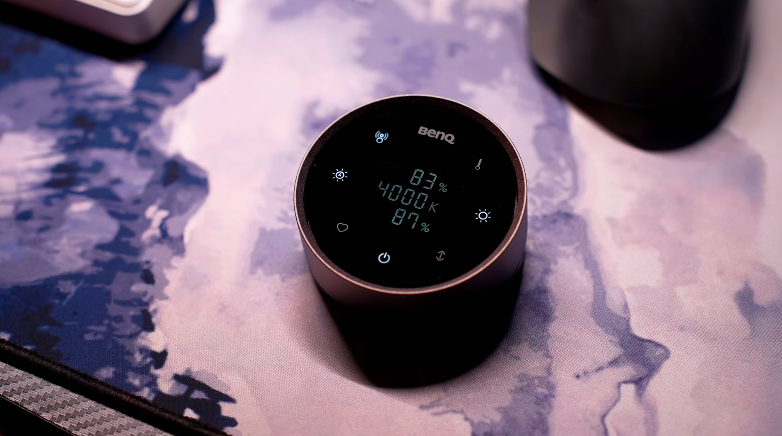
Then you get the power button, and there is a heart button as well, which you can assign to your preference. You can set it to any color temperature or brightness and hold the heart button. So, whenever you press the heart button, your preset will automatically set. And here you get an auto button, which will automatically set the brightness and temperature according to your ambient lighting. For this, there is a sensor wthatdetects the auto.
It has a presence detection sensor which detects motion outsi.de If you are not sitting in front of the monitor for 5 minutes, then it turns off automatically. And if you sit in front of the monitor, then it turns on automatically. The Helio controller is chargeable, and it has a battery thatcan give a backup of 3 months on full charge.
There is an external attachment. Through this attachment, you can install a webcam with the bar if you are using a webcam.
Ports:
Let’s talk about the ports. Ports are very important in a productivity monitor. And we get 2 HDMI ports in it, 1 USB-C port, which is best for MacBooks because it supports 90W PD, and also the display output. Since it is a 4K60 monitor, you can get 4K60 maximum output. Type-C is not only for MacBook but also for Windows laptops, and nowadays, we get the support of Type-C Display output and PD charging from all laptops. So, it has a lot of benefits. You get the Display output, and the laptop is charging too. You don’t need to connect extra. Apart from that, you get 2 USB 3.2 Gen 1 ports, one is nearthe joystick, and the other is at the back. These are downstream ports. If you have connected any laptop through Type-C, Mac Mini, etc., or any Windows laptop, you can connect these Type-A ports.
Fast speed data transfer or for connectivity like keyboard,d mouse, etc. And if you want to charge a small device, then you can do that too because it has a 7.5W output.t And you will get another Type C port, which will not give you display output, but it supports 15W charging type C port. Plus, fast-speed data transfer will also be done. If you have taken a connection from your PC system, em then you will have to connect Type C also because data transfer is not possible with HDMI.
Display:
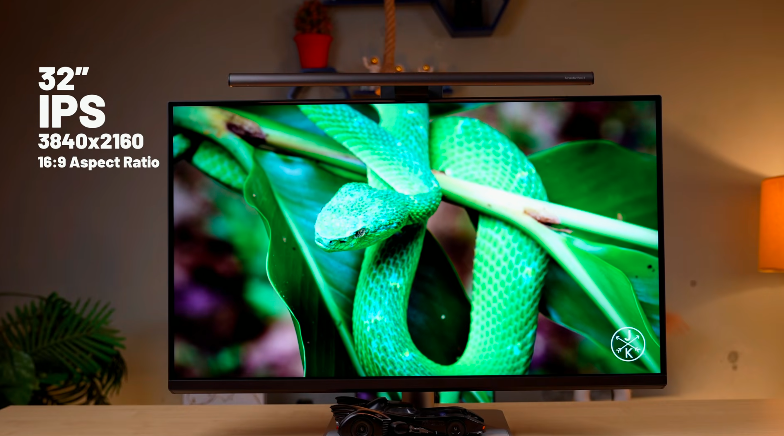
Now, The most important part is the display, It has a 32 inches screen size and it is a IPS panel And the coating on the screen is nano glass coating, It gives the same feeling as the MacBook screen It has 4K resolution and 16:9 aspect ratio, It has 60 Hz refresh rate, If you are using MacBook Air, You will connect it with it. 5ms of great response time. Obviously, it doesn’t target gamers, but it is not bad at gaming. It has HDR10 support, or it is a 10-bit panel, and HDR performance is good, like highlights are good, Shadows are good, and dynamic range calibration is good. So, you get a good experience if you are watching HDR content.
It has a color gamut anda dedicated Mac mod. So, Mac mode has 100% sRGB and 92% P3. Then, there was a DCI-P3 tested it on the DCEI B3 mod,,e and it was 96..% StheThe color is adjusted accordingly. The number is 598 nits. By the way, this display is 600 nits certified, So, It can goup tooo 600 nits and it can go up to 600 nits. It is coming upto the standard, So, It is fun to use in HDR. The brightness and color gaaret is good in the monitor. As the target is the productivity of the users, So, You have to do color grading, Color accuracytasksk on videos and photos. The color gamut is good there. Plus, you can use it in anenvironmentn. Brightness is also good, so there is no disappointment in that.
The IPS panel gives good viewing angle,s and the TÜV iComfort 3.0 is certified Pl;s, it is flicker-free andhas low blue light. Also, it won’t damage your eyes if you use it for a long time, and when you buy a premium product.
Experience with Halo Bar 2:
The experience of the Halo Bar 2 is different. Normally, you might have noticed that when you are working on your desk, it is not that difficult,t but when you are working in low light, you can feel a different strain on your skin. To tackle that, you can use this bar, which has light in front and back. If your environment is lit, then it doesn’t cause eye dryness and itching. Because our eyes don’t like to focus. Sometimes in dark environments, Eyes get unfocused, and you have to do something. That is because of this. Because there is no lighting in your environment. You are looking at a well-lit screen, and that is why there is an issue of focus.
If you are a student working on a project or writing notes,s then this can be useful for you. In logo optical technology for eyecare,r e because the throw of the light is 18 degrees, the light doesn’t reflect on your eyes,s and the screen is also not reflected on the monitor screen. This is color accuracy certified, so it won’t affect the colors of your screen. Customize it according to your needs. If you work in a dark environment, then you should use this screen bar.
Speakers:
Back to the monitor. It has 2 speakers of 33 watts,s and the speaker quality is very loud. You can’t expect a soundbar bass, but it is loud, and it is good for watching content and for meetings. So you can use the speakers of the monitor here.
OSD Controls:
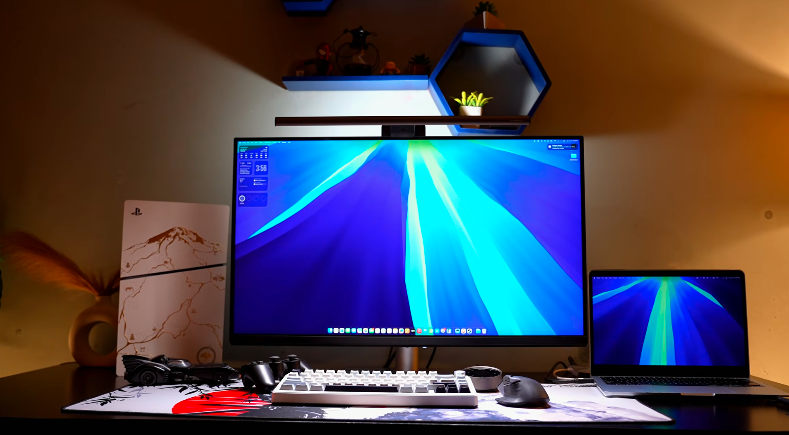
For OSD, we can set brightness, volume, and input selection with the joystick. And there is a feature, when you connect the Mac, the brightness of the Mac syncs with the monitor. And when you reduce the brightness of the Mac, the brightness of the monitor also decreases. Plus, when you connect the Mac, the colors of the Mac automatically sync. So, you don’t have to manually choose any mode if you have connected the Mac. This monitor is for Mac users only, So, Features are also according to it. You can’t send the controls from the monitor.
Software Support:
It has a software called Display Pilot 2, You can easily install it on mac or windows and it has multiple options like different color modes, It has a display P3, sRGB cinema, e-paper mode if you are reading there is an M-Book mode which is tuned with the major Apple devices color profile Like MacBook, iPad, iPhone, There are multiple options below. There is a focus sync mode. You can customize the color mode, Visual optimizers, Low blue light, and audio according to the different focus modes. So, if you have an Apple device, it has that feature designed for you. There is a low blue light mode which you can adjust manually, or it is set automatically on the basis of sunset and sunrise.
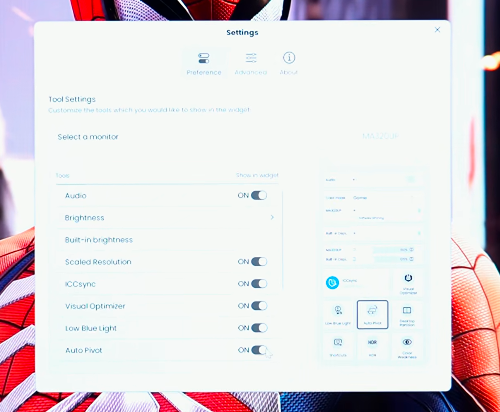
It has an auto pivot mod. If you pivot the display, its orientation changes automatically Which is good for streamers and creators. This type of monitor will be used primarily.y Still, if you want to use it vertically, just rotate it, and the orientation changes. There are some shortcuts that you can assign. You can set different color modes, Power off charging option, AMA, Advanced motion accelerator, and many more things.
Conclusion:
Overall, if we conclude this monitor, if you have a Mac mini, MacBook, MacBook Pro, or any device with which you want to do productivity tasks. 32 inches size with 4K resolution, So, You will enjoy watching content, You have to do color accuracy task, Color grading in photos and videos, So, This monitor will give you a good experience, And its panel and colors sync well with MacBook, So, It gives you an iMac feeling, And if you would have shifted from MacBook display to another monitor, So, If you have a MacBook and you are using this monitor then you won’t feel the color difference. Brightness is also good in any environment. It will work witha MacBook only. You can also use it with HDMI or any device. This bar is not only with this monitor, but it is not a Mac user thing. You can use it with any monitor.