Best 4K 120Hz Monitor: Dell S2725QC Monitor
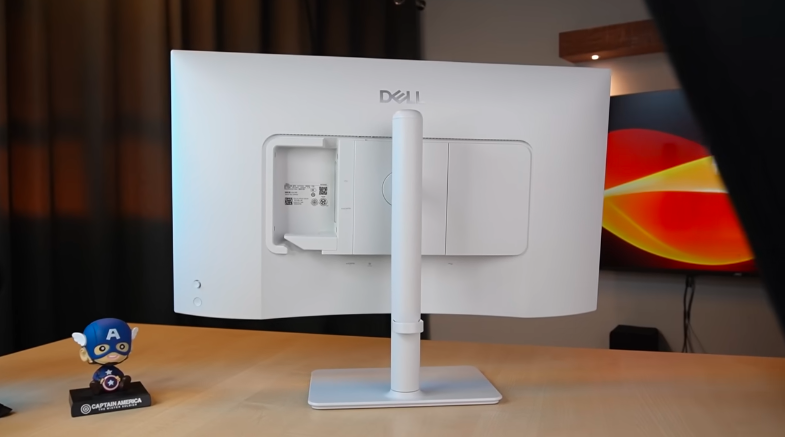
Table of Contents
Design:
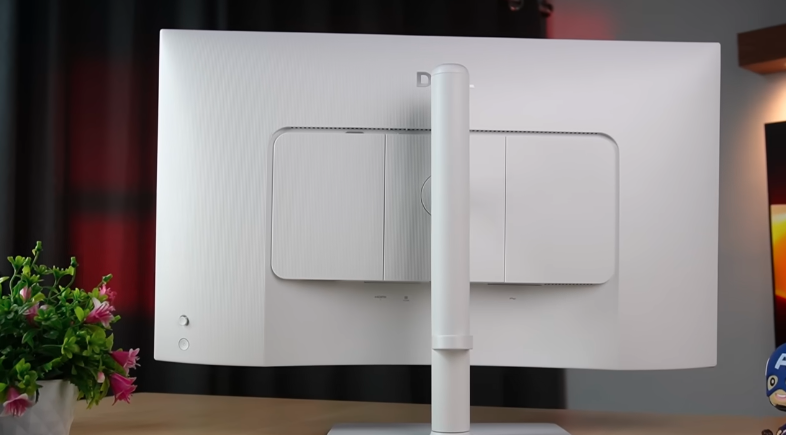
The design is matte finish. It has lines and a nice pattern. In the middle, we get Dell branding and a white monitor. The design is matte finish, so there is no risk of scratches. There is no gloss anywhere. And because of this lid, the clean setup is very good. The curved design from below is also very good. And we get two buttons with which you can control the menu and the power button below. The space is also given for the cable to be removed so that there is no problem with cable management. Overall, big thumbs up if you like minimalistic design monitors. You have to install a Type-C cable in your laptop or PC.
Display output should be supported in that type C. The front design is very good. It will give you a frameless feeling because the bezels are very low. Even the lower bezel is very thin. It is a nice thing. And in the center, we get a Dell branding. It gives a very professional look. And yes, it has support for the VESA mount. You can install a 100mm by 100mm VESA mount. So, in case you have to install a stand, you have to make a separate setup. Other than this one, you can do it.
Ports:
As for the ports, on the back side, we get a power input port, a USB Type-C port with 5Gbps transfer speed,d and an upstream port which will take the input of the monitor. This port has DP 1,.4 and it provides power delivery up to 65W. If you connect your laptop to this, it will charge your laptop with 65W. If you connect it with HDMI, you can use this port as a Type-C port. It will connect directly to the laptop. It comes with two HDMI ports, one on the bottom and one on the side. Both are HDMI 2.1 ports, and you can easily take a display output up to 4K 120. You can also take it with Type-C. HDR, VRR, etc. are supported.
If you change the orientation and keep it at a vertical position, then those ports will come down. Then it will be easy to make a connection. Otherwise, they would have reached the left side, de and then you could have had a problem within cable management. So this is also a very good thing. Apart from this, we get a USB Type-A port. 5Gbps, this is a downstream port, and it also has battery charging support of 1.2. You can charge any product through Type-A. It will be slow-charged, that’s different. And we get another Type-C port in it, downstream.
Which you have to take out. There are also Type-C and USB ports. Both are 5GPS. And you can also take power delivery through this Type-C port. But it can be 15W. So if you have to charge a smartphone or any small device, then it is good for that. And it is given in the front. This is a very good thing.
Another USB Type-A port is on the left side of the HDMI port. So, there are 6 ports in this monitor. And it has a power input. There is one drawback to this: they didn’t give a headphone jack. So, if you want to connect a desktop speaker to it, you won’t be able to do it.
Especially, people with a MacBook will find this a very useful feature because they will not have to buy a separate USB hub. And this directly connects to Type-C and also charges your laptop, along with the display.
Build Quality:
Talking about build quality, the stand is of good build quality because it comes in metal. So, there is no problem. The grip is also good; it doesn’t move much. And the arm at the back is also of good build quality. It has a 90-degree orientation, which is why it is placed on the loose side. But it creates a little wobbling. It doesn’t move forward; it moves left and right. Now we are talking about the adjustment, so we get the tilt adjustment in this.
You can do it from -5 to 21 degrees upwards. You can rotate it to any position. It has a swivel, too. You can rotate it to any position. It has a pivot adjustment,t too. You can rotate it to any position. It will get black. You can also adjust its height. It can be lifted upto 130 mm, which is around 13cm.
Display:
Now let’s come to the display, which is the main thing of every monitor. So in this monitor, we ge27-inchches IPS anti-glare display. And if it is IPS, then it will get a 178-degree field of view. That means it looks better than the corners. There is no problem with viewing angles. It has a 3840×2160 UHD resolution, and it can go up to 120Hz. Apart from that, you also have a 144Hz option available in this monitor. There is a customization option on the Dell website. But because of 4K, the quality of the display is very crisp and sharp, which means if you have a task in which text is going to be used more, drawing etc. you are going to make more even if you do editing, then you will get the 4K feel, there is definitely a difference in this if you compare it with a 2K monitor, pixel density increases because it is in 4K, the aspect ratio of 16:9 is there and the response time is 4 which is a nice thing for gamers but not very powerful as gaming monitors can run up to 0.5 or 1ms but 4ms is decent considering that it works for gaming and productivity and the brightness is 350 nits according to indoor it is quite bright without any problem was using it with a little less brightness.
It is very bright. It is less in terms of outdoor. And if there is more light in your room, sunshine, etc. Then you will have to use it at full brightness. But there will be no problem in terms of normal room conditions. And we get 99% sRGB color support in it. Which is a color-accurate thing. And it supports 1.07 billion colors. So it means that 10-bit color depth is supported in it. So those who are working on productivity. You can use it for color accuracy, and you can do color grading in it. The HDR is also supported. Most gamers use HDR or prefer it, so it is given. There are some special features like AMD’s FreeSync Premium.
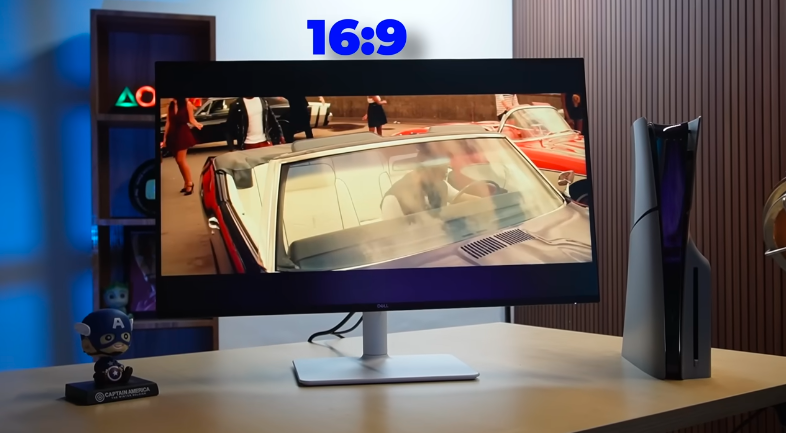
It also supports VRR, which is a variable refresh rate. This is also useful for gaming. And if you want to buy a monitor for PS5 or Xbox, you need a full 120Hz output in 4K. As it is supported in our consoles, it supports both. You can take a good 4K 120Hz output on it. You will also get full fun in console gaming.
Speakers:
We get built-in speakers in it, which is a very good thing. Now, if the headphone jack disappears in this, then the speaker is given. In that, there is a headphone jack,ck, and there is no speaker. According to us, both things should be there. It has very strong sound and bass, ass so you don’t need any headphones to listen to music or do any other activity.
Menu:
In this monitor, you will see the menu of volume, audio profile, input source, preset mode, brightness, contrast,t and so on. If you click on the top of the menu nd you will see the menu of brightness, input source, and so on. Inthe monitor, you can select profiles and format,s and here are different preset modes which you can adjust as you like. In the display, you have all these settings that you can change accordingly. You can see the settings of audio, men,u and in personalized, you can adjust all the shortcut keys accordingly.
Conclusion:
4K quality definitely feels good. You will get to know that you need the hardware to play 4K gaming. Because PC’s that make 4K gaming are very expensive. Apart from this, if you play games on PS5 or Xbox in 4K, you will get a good output of 120Hz. Overall, it is fun to play the gam, and 27 inches is a good size for any monitor. If you want to see 4K output in 1080p or 1080p, then it is not that good. It is said that the resolution is 4K, but the display will show 1080p. So you will get the benefit of 4K here as well. If you can afford it, then you should do it. So you can take it as a one-time investment. It has a lot of features. You will love to use this monitor because it has a huge display, and you will enjoy gaming and movies.