Asus VivoBook 14: Best Ai Features?
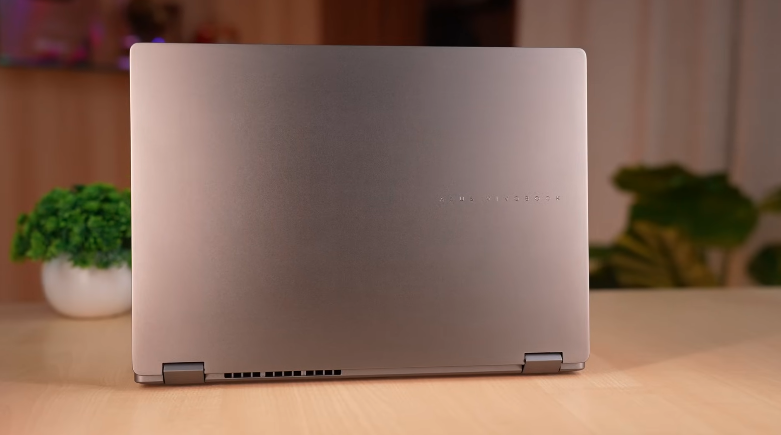
Table of Contents
Build and Design:
The laptop is really amazing, and the design looks very professional. It comes with two more colors. Black and a golden type color. It has reflections. So, it will look like a very minimalistic design. They haven’t changed much in it; they have given us a good branding of Asus VivoBook. And it is a plain laptop in a matte finish. Kind of white. Not pure white but whiteish. It is a bit dirty, so keep it clean. On the left side, you can see ports. On the right side, there is one port.
These are the vents, and these are the exhaust vents. And these two grills are the speaker grills. The rubber grips are well lifted to provide good elevation. So that the exhaust vents can help in air intake. This is a good thing. The design is well done. And its display can be set up to 180 degrees. Talking about build quality, it comes with a complete laptop polycarbonate build. But it has a military-grade certification, so it has a crazy level of build. That’s what Asus has said.
Weight distribution is also good. Hinge quality is also very good. You will close and open it. There will be no problem for a long time. And wobbling is also not equal to it. There will be no problem at all. The weight of the laptop is around 1.3kg-1.4kg. According to the Kinellite category, it is fine. Under 2 kgs, you can take the whole system. Students can take it to college.
Interior:
The interior looks very professional, and the shine also gives you a professional vibe. It has a big trackpad, it looks like a 16″ laptop, but it’s actually 1.4″. It’s a good thing, it’s a big size. The trackpad should be big. Here, we get a small cutout on the body, which will be useful while opening the laptop. It is very detailed in the design. It used to be on Mac, but now it is available inonindows as well. On the left and right sides, we get some stickers. And yes, Microsoft Office Home and Student. It will be available for the lifetime of 2024. The branding of Sonic Master is good because it has tuned speakers. The trackpad is really good. It looks good to use. It has all the gestures supported. It is very silent. It doesn’t make much noise. It is fully touch.
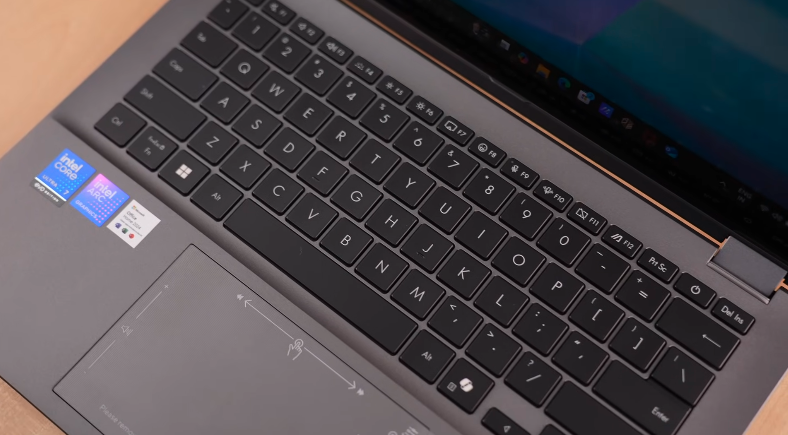
You will get smart gestures in this trackpad. If you want to reduce the volume, swipe up and down from the left side. If you swipe left or right from the center, the video will adjust its seek. You can do it from the front and back. If you swipe up and down from the right side, you can control the brightness. If you want to turn off these features, you can do it if you want to. The rest of the keyboard comes in a black finish. And it is without a numpad. It is a 14-inch laptop. And we get white backlit with 3-level brightness.
So, if you have to work in the dark, then its visibility is fine. It is very handy, and typing is fun. Plus, the keys are very tactile. The feedback is very good. You won’t face any problem while key travelling. And if you have a lot of typing work,k like making notes, programming, etc. No issue. It will be fun for you to type. Because the keyboard feedback is very good.
Ports:
Now, ow if we talk about its ports, then on the left side we have two USB Type-C 3.2 Gen 1 ports. If it is fully functional, then display output is supported in it. Power delivery is also supported, ted and you can also do file transfer. You can do all things. Onea is a USB Type-A 3.2 Gen 1 port, which is only for file transfer,r buitis also supports up to 5 GB/s,s like Type-, C and we get an HDMI 2.1 port in this again for display output,t and on the right side, we also get a USB Type-A 3.2 Gen 1 port, so in terms of ports.
They could have given an SD card slot or an RJ45 LAN port. But it’s possible that they didn’t use it because they thought that people didn’t use it anymore. They use Wi-Fi, so what do they have to do? But they gave an extra Type-C port, so you can use it in the future by attaching a dongle in case you need it. The Type-C ports support easy charging. You can connect it to any Type-C adapter to charge it. Even if the voltage is low, it detects it and starts charging. But it will be a little slow.
You can also charge it by connecting it to a power bank. This is a blessing for students and office personnel. It was not possible on Windows Laptops before. Now it can be done. This benefit is still being taken by Mac’s. And if you take display output from the HDMI and Type-C port, then it will be through the iGPU and supportup to 4K60. You can also do more than that if you have an 8 K-type display. And it will supporta higher refresh rate in 4K as well.
AI Features:
No,w let’s come to AI features because this is a Co-Pilot Plus PC. It has all the AI features loaded. Basic AI features are available in almost all laptops, ops likeCo-Pilot Chatt GPT, on-device live captions, video translation, Windows Studio effects, camera app, paint app, Co-Pilot, background removal, and AI help. It has extra features because it is aCo-Pilot Pluss PC. It has a click-to-dodo feature like Google’s circle to search. If you press the Windowsey, you will see a glowing pointer. You can tap anywhere with this pointer. It will show the option to copy, share,e or save. If you go to open with, all these tools will come to us. And if you want to search visually, you will click here. But now it is a bit for Microsoft applications. Hopefully, if they give this thing to Google, it will be a good thing.
Apart from this, we get an application of Story Cube in Asus laptops. It is just like Google Photos. It will make your memories, it will make photos and videos. So, AI is fully available on the laptop. You will get to see all the new features in the future in theCopilot Pluss PC because it comes with 50 tops. It is not that you cannot work in the 50tops AI PC. You can use AI in these laptops, too, but you can also say that this is marketing. Those who are buying a new laptop, it is recommended to buy an AI laptop because it is a littlefuture-proof,f and your AI will work well on the device,ce and your work will be good in the future.
But those who have been using it before, they do not need to upgradebecause theyu will feel that it is better than these thin and light laptops. AI performance in a gaming laptop because they have a dedicated GPU and these thin and light laptops can’t match the AI performance of a dedicated GPU because they are giving you NPU in integration with the CPU but a dedicated graphic card definitely stands out in that and if you have a normal computer which doesn’t have a dedicated graphic card but still you can use AI in it, there is no problem in that.
Display:
It has a WUXGA display with a resolution of 1200p of 14 inches. So, you must have understood because it has 1200p, so its 16:10 aspect ratio is available. Which is good for productivity, but if you consume content, then you get a few bezels on YouTube,e etc. But overall, the screen-to-body ratio of the laptop is very good, it is 87%. So overall, the bezels of the laptop are verysmalls. And if we talk about brightness, then according to indoor, the display is not that good for content consumption,n but you can’t do color grading or color accurate work in this.
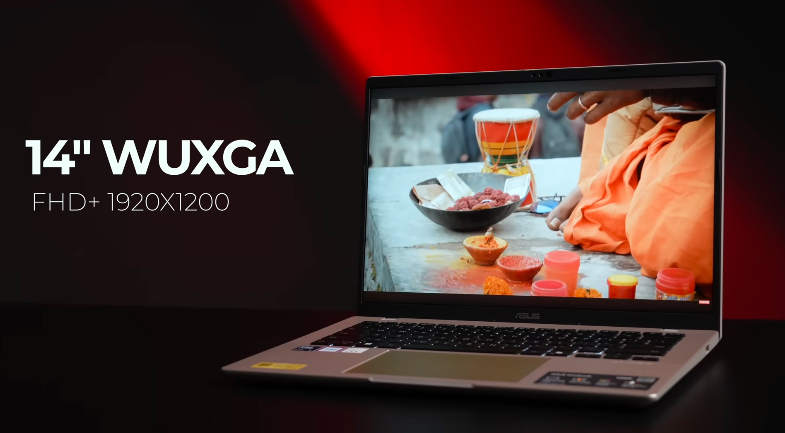
The refresh rate is also 60 Hz, which is a drawback. You can give a minimum of 60Hz. And 60Hz is a laggy feel. You have to accept that. Since we have upgraded smartphones, laptops, PCs, and monitors, now it’s the time of thin and light laptops. So, give a minimum of 60Hz to 90Hz.
Speakers:
Now, the speakers are tuned by Sonic Master. We get two speakers of 2/2 watts. The speakers are very good. You can get good speakers in very few laptops at this price. And it is very good. The bass is clear, and there is no distortion. The loudness is also good. You can enjoy music with this type of speaker. It has a direct audio manager software pre-installed. You can customize the audio by using the equalizer.
Specifications:
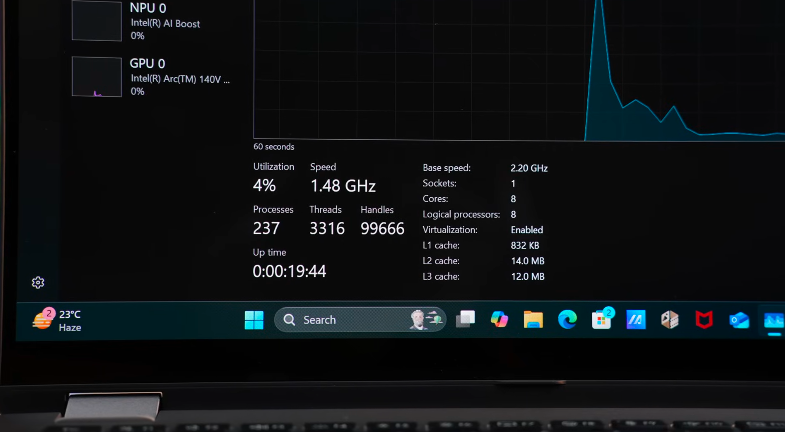
Before showing the performance, look at the specifications of this laptop inthe picture. It is Gen 4, so it is very good. Almost full-fledged. And yes, its SSD is upgradable. We get one slot in iitt which is occupied now. You can remove it and change it. The RAM has two slots, one of which is occupied with 16GB DDR5 RAM, and if you want to upgrade to another slot, it will be up to 32GB. Generally, thin and light laptops don’t have upgrades,s but this thing does. It’s good. Always check it out because it’s good in the future.
Performance:
You can see the score of Cinebench R23. You can also see the score of Cinebench Rdownwin inthe given picture. You can also see the score of Geekbench 6. It has come out perfectly. And if you had done the benchmark of Geekbench AI, then you can also see its score for AI performance. And you can also see the score of 3DMark there. Look, it’s an iGP; we won’t expect much.
The CPU scores are quite good. According to the type of processor, it has given a good performance. The performance of a single core has turned out to be much better compared toa multi-core because there are fewer cores in it. It is a processor with 4 cores. So, it is good according to 4 cores.
Editing:
If you want to do productivity, you can do photo editing in this. You can run Photoshop easily on this laptop. So, the creative work will be done. If you want to do video editing,g you can work iPremiereer, which will also run smoothly on this laptop. Now, it is also possible in Windows. This is a very good thing.
You can open it anywhere and do your editing work. You don’t get a charger everywhere. But we will only recommend 1080p. We will not recommend 4K. If you want to do 4k editing, then go for Ryzen 7. It’s a little expensive. There are many other laptops in this range. So, for that, Ryzen 7 is recommended.
Battery:
Now, let’s talk about the battery. It has a 42Wh battery. And before today, you couldn’t expect a backup from a 42Wh battery. But this laptop is giving it. The brand is also claiming that 10 hours of backup will be easily available in this laptop. If you close the keyboard backlitton normal 5060 brightness anenablehe battery saver, then you can get a 9 to 10 hour backup in this. Depending upon your usage, you can even take out more than that. So, we get a good backup of up to 10 hours.
Conclusion:
Apart from this, you can consider HP’s Omnibook or Lenovo’s IdeaPad Slim 5. You will get the same processor very easily. Just compare the specifications. What are the ports, display, metal body, etc.? Check all these things by watching the reviews. You can consider it very well. Students and office personnel can buy it very easily. If you want to do high-end productivity-heavy work,rk then go for Ryzen 7 or go with a MacBook if you don’t have any problem with macOS. Otherwise, you can buy a gaming laptop for high-end performance work. That’s quite good.