Acer Nitro V 15 Review: Worth it or Not?
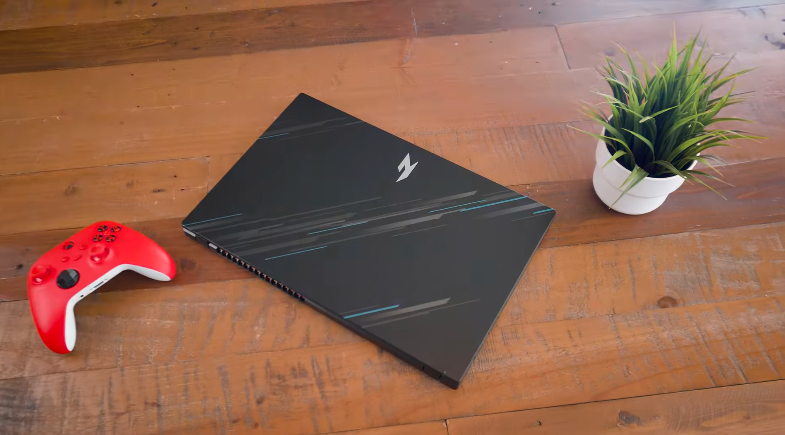
Table of Contents
Design and Build Quality:
The laptop comes in a black finish. This time, it’s completely plain. The first Nitro had a little design or pattern on the upper lid. This time, it’s completely plain. Similar design to our Nitro V, with a plain logo and matte black finish. The vents are also open. Fingerprints come out very quickly. We have two speakers at the bottom. In all four directions, we get rubber grips. It has an exhaust vent here. We have ports on the left side. We also get some ports on the right side. So that’s all. This is the whole design of it. You can see that our fingerprints have come on the front lid as well. So this laptop is a fingerprint magnet. And the whole laptop comes with a polycarbonate build. It is not metal.
It is not used anywhere. It is never used in Nitro. If you open it with one hand, it becomes very easy. The weight distribution of this laptop is good. The hinges are also the same as before; there is no new change in them, and they were sturdy before, so it is still good. If we talk about wobble, it wobbles a little, not much. And if we talk about flex, we get a little bit of flex in the polycarbonate laptop, but not much. The overall quality is good. And if we talk about keyboard flex, we also get a little minor flex, not much. Now, it is not that you are typing mapping, then the keyboard is completely crushed, it is not of that level,l which is good, od and the weight is also very similar to the previous,2.1, 2.2 kgs, it is not very heavy considering it is a gaming laptop.
Specifications:
You can see the specifications of this laptop in the given picture. You can also see the SSD read and write speeds. According to Gen 4, it was a little less because the maximum speed of Gen 4 is 6000-7000 m/s. But this is almost half. So we have a low speed somewhere. You can upgrade the Gen 4 SSD and install the fast one because it is upgradable.
We get two slots of SSD in it. One of which is occupied with a 512GB SSD. And you can expand it to 1TB per slot. It may be up to 2TB, but officially, 1TB is mentioned. And its RAM is also upgradable. We get two slots in it. One of which is occupied with 16GB RAM. And another slot is also equipped with 16GB RAM. So you can expand it to 32GB in DDR5. The CPU is 3 years old, not so mucht latest. It was released in the 6000 series.
Performance and Benchmarks:
Let’s talk about performance. You can check in the given picture. You can see the scores of Cinebench R23, Cinebench R24, and Geekbench 6. This CPU is similar to the i5 12450H CPU. It gives the same performance. You can compare the scores here. So we don’t get much difference in its comparison. This processor is a little good in the iGPU. Its integrated graphics card is good. And it is a little power efficient. Not much, but a little. You can do all the daily tasks like coding, programming,p presentations, office related work. It will be seamless anfuture-proofof. You can do high-level work for 3-5 years.
In Photoshop, you can do productivity like photo editing, video editing, etc. So we tried Photoshop for this. Photoshop works well. You can do 2D level editing,g like making thumbnails, etc., or a little bit of editing. And you can do some professional-type work too. We will not recommend 4k editing. It’s not that high level that it can handle it. Plus,s if you want to run animations and integrate After Effects, then it will also bebeginner-levell type of work. So, After Effects will also be beginner-level work. If you have to run it sometimes, then don’t expect very high-level, next-level professional work.
For After Effects,s we will prefer 32GB RAM. If you want to use it,t then use it only in that res. Overall, CPU-intensive work can be done at a very good level because the CPU is overall good. After all, it is the H series and gaming level. That’s why,y but as we said It was very late,s t and it used to do very good work. But now, because the technology has become more advanced, the workload of people has increased.
Ports:,
Now if we talk about ports, on the left side we have a power input anort, an RJ45 LAN port, aanHDMI 2.1 port, two USB Type-A 3.2 Gen 1 ports, a USB 4 port, which has 40Gbps file transfer, displayt and power delivery is also supported. On the right side,ight side we have a Kensington lock, a USB Type-A 3.2 Gen 1 port, and a headphone mic jack combo. If you want to get display output, you can get HDMI and Type-C through both ports. Yoa u can get a dedicated graphics card through HDMI andan integrated graphics card through Type-C. It’s better up to 4K6; it’s more supported.
Interior:
The interior is black in color, and the contrast is amazing. There are some stickers on the left and right side and in the center, we get a trackpad. It’s the same as before, there’s not much difference, it’s clicky, fully touchable, and it has a soft sousoundand overall use will be fun. All gestures are supported. The keyboard is white backlit. It is not available in RGB keyboards. It has 2-2-levelrightness. It is not too much key travel. It is a little key travel. If you like a minimalist keyboard, it will give the same feedback. You can use it for typing, programming, notes, etc, so you can do all the work well.
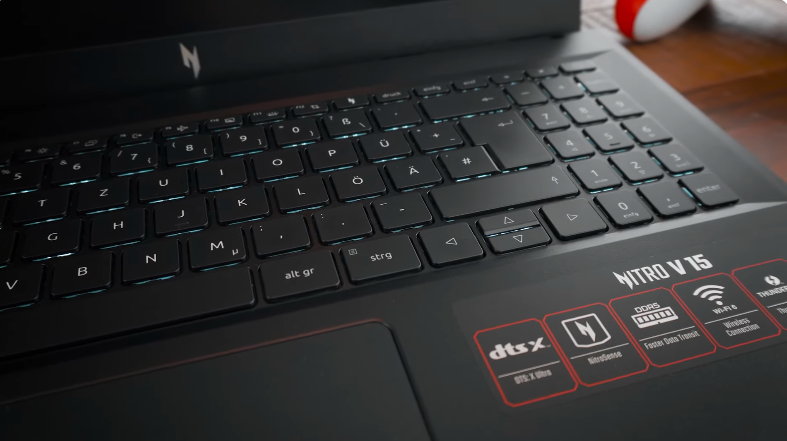
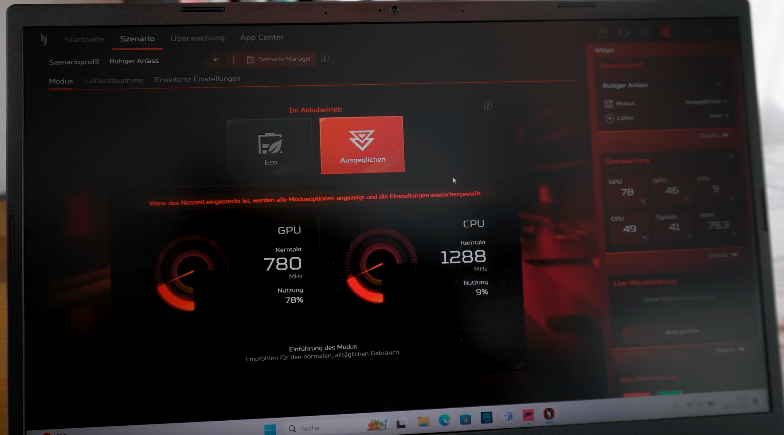
There are many shortcuts on the function keys and we also get a dedicated key for co-pilot and we also get a dedicated button for nitro sense through which we press the button, its gaming software opens and nitro sense is the same as before, you can select the performance mode, adjust the fan speed, you can apply scenario profiles, there are many more settings that you can do in it.
AI Features:
Apart from this, the basic AI features are all there, as we get in every laptop. As you will see, a dedicated laptop and live captions are also supported in it. In the paint app, you get a co-pilot, which allows you to erase the background and make it more artistic. In addition, we get Windows Studio effects and an Acer Quick Panel, which has AI noise reduction and other things. If you use it, you will understand.
Display:
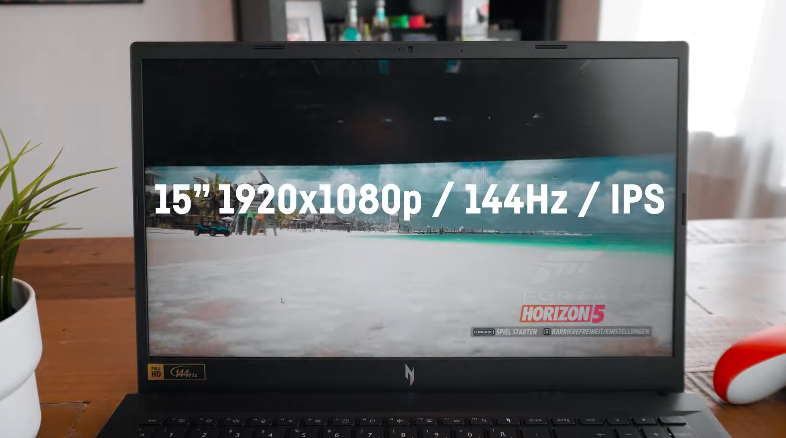
If we talk about the display, we get a 15.6-inch 1080p display. It is an FHD panel, the same basic one that comes in every laptop. The aspect ratio of 16:9 is present in this; it has a refresh rate of 165W, it has a brightness of 250 nits, and it has 45% NTS. HDR is not supported, and the color gamut. The basic one is the same as a normal laptop. This means that you will not be able to do color-accurate work. If you want to do color grading, then it cannot be done. If you want to do content consumption or normal work, then it will look good. There is no problem with that. It produces fewer colors. So, those who are professionals may have a little problem. They will have to install an external monitor.
Speakers:
We get two speakers in this one. Down firing one with a two-word output. The speakers are good, they are lloudd and the bass is also a bit low. You can say above average, and overall, all the sound is good. Or you can say that there is a little peace in the winter. It also has the support of DTS-X Ultra, a software dedicated to it. You can go into it and tune it.
Battery:
The battery is 57 Wh, which is not too much in terms of capacity. It has an AMD chipset, so it is a bit power-efficient. So, it gives a good battery backup compared to Intel laptops. So, after doing so many things, if you do a normal type of work, you can expect a backup of 2-3 hours maximum. So, their backup remains a bit less because they are performance-oriented. But if you get it, then it’s fine. But generally, battery backup is less in gaming laptops. And it doesn’t even have a MUX switch to save battery by using the iGPU. So, this is also a case. If its GPU is on, then it will consume a lot of battery.
Conclusion:
This 3050 is 3-4 years old since it was launched. And today’s date,e 5seriesie, is the latest,t and after aye the, ear 60 series will come. So overall it t will be a very old chipset. It is not that much future-proof. But this laptop gets a 35W 3050, which is not even full-fledged. Means it is not able to get the full power as much as it has potential. We will only recommend this laptop to those who want to do casual gaming and only for learning purposes.
They don’t want to do much, and they don’t want to work in the future. They can definitely check out this laptop because your work will be good for 3-4 years. But if you are a heavy gamer type and you want to do graphic intensive wo,rk then you can use this laptop.