Asus Rog Strix Scar 16: Best for Beginners
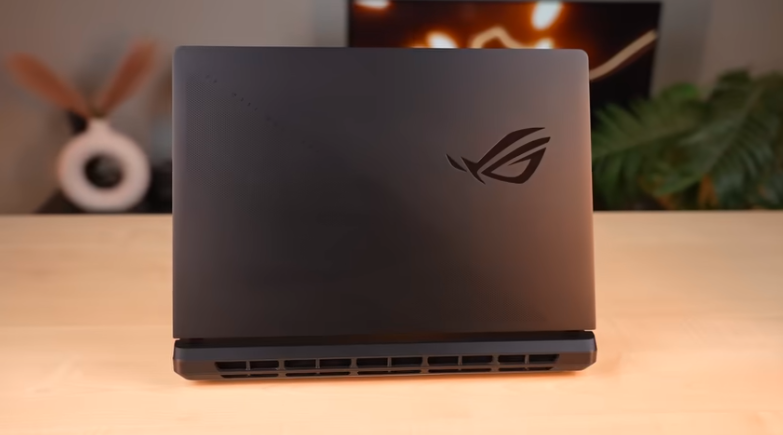
Table of Contents
Intro:
Here is another RTX 50 series gaming laptop. This is the RTX 5080 laptop and your favourite ASUS ROG Strix Scar. It is a premium laptop with lights. And this time,e they have increased the lights a bit. But they are different types of lights. So let’s start reviewing this thing.
Build and Design:
The laptop is very sturdy. It gives a premium feel. The top lid is made of metal. The rest of the laptop is made of polycarbonate. The top lid flex is negligible. The lid opens easily. It goes up to 110 degrees. And the keyboard flex is also not there. And this is not your typical laptop. This is a high-performance laptop.
It weighs 2.7-2.8 kgs. And if you include the charger, it weighs 3.8 kgs. You will have to carry it on your shoulders day and night. But if you get to play games, then what’s the problem? We will be able to handle it. And on top, we have an anime vision display. You will get full-on lights on the top lid. And they have increased the RGB. They have given a full-on strip at the bottom. Which is in full 360 degrees. Left, Right, Front, Back, and you can customise it in Armoury Crate software.
Now, it has a solid colour. You can’t see much of the inside. Earlier, there was only RGB in the back and front. Now, they have given a full 360 degrees. Earlier, the logo had an outline type of RGB. This time, the whole logo is RGB. The ROG logo on the top lid. Yes, you can customise this too. Earlier, there were notification LEDs on the front. There is no notification LED in this. Yes, there is. There is a notification LED on the power.
Anime Vision Display:
The one thing that the previous Scar didn’t have. That is the anime vision display. It has a total of 810 LEDs. Because of this, you can see the text precisely. And you can apply effects. And in its Armoury Crate software, you will get anime vision. In which you get audio mode. That is, there will be a visualisation. There is an effect multiplier in it.
You will feel very good after seeing i..t Below that, we also get text effects. In which you can add text. If it is an expensive laptop, expensive people will buy it. If you want, you can change its boot animation. You can also select the animated mode. In which we get different animations in the ROG gallery. You can also download more from the content library. Obviously, some of them are free.
You have to pay for the rest. And you get good effects here. You can use this display as per your needs. It is used in the utility. You can set Daytime through the lock in the system mode. You can turn on the battery level. If you are using a laptop, the battery percentage will show here. And these LEDs consume very little power. It has a minimal impact on the battery. But that’s it. You can see it. It’s an extra thing. The back is also beautiful. And it has ROG Strix branding. You can also notice that there is no screw in the back.
Specifications:
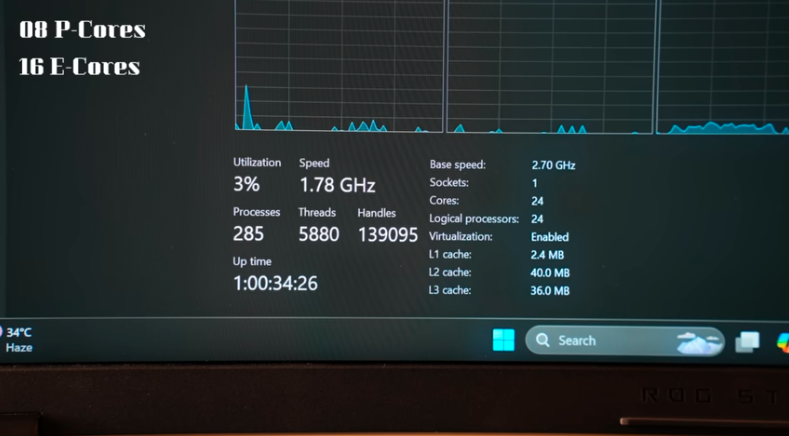
Now let’s talk about the technology. It has an Intel Core Ultra 9275HX processor. Yes, this is an HX processor of Intel Core Ultra Series 2. First it was V, then H, now it is HX. This is a high-end gaming laptop. This is a processor with 24 cores & 24 threads. It has 8P cores & 16E cores. It can push up to 5.4GHz max turbo frequency. And yes, it is an Intel Core Ultra Series 2. So, it will come with an NPU, Intel AI Boost. But it doesn’t have the 45-top NPU of the V series. It has a 13-top NPU. It doesn’t have a lot of AI power.
The low-powered AI tasks like Windows Studioio affect the load that goes to the on-NPU instead of CPU-GPU. Due to which the battery is saved. So, this thing matters more in a laptop. The GPU is RTX 5080. It is a 16GB VRAM graphics card. It can push up to 175W TGP. Let’s see how much it can push in the game. It has 32GB RAM & a single stick DDR5 with 5600 Mt/s speed. This is a good thing, and at the d same time, I would’ve been fine if it had 2 sticks of 16-16. Because 32GB is almost good for gaming & productivity. But if you want 64GB, then you can have it.
It has a 2TB Gen 4 SSD. It has a good read & write speed of 6800Plus & 6200Plus. You get 2 full-size slots, which you can upgrade if you want. You have to insert an SSD. It has a slot of 2TB. So, you can put it more than that. That depends on you. It will cost you money. And it’s upto you. It has the latest WiFi 7 & Bluetooth version 5.4. You will get it for 3 months with Xbox Game Pass. You can claim it with the laptop if you buy it. And MS Office 2024 for a lifetime.
Performance and Benchmarks:
Now, let’s talk about the performance. Firstly, CPU, Cinebench 2024 numbers are on the screen. Then, Cinebench R23. It’s good with 35000Plus & 2200Plus in single core. You can also see Geekbench 6 single-core & multi-core. You have to do coding, high-end programming & development, and compile large projects. You won’t face any issues, and yes, you can run data science or complex engineering simulations on this laptop.
CPU is very powerful. 32GB RAM is there. In fact, the GPU is also good. You can run music production software. There is no issue at all in that, andfor AI performance, you can see the Geekbench AI benchmark. We have taken it out on the GPU. And the scores are amazing. We have run DeepSeek R1’s 32-parameter model in LM Studio. You can see the prompt on the screen. It gave the results in 6 minutes 3and 3 seconds. So, you won’t face any problem in AI performance for which the 50 series is being marketed.
Then, the GPU, in Blender, rendered BMW in 11 seconds. In Blender Benchmark, it scored 6900+. So, you can easily do 3D modelling tasks on the highest level. And you can see Geekbench 6’s OpenCL score for GPU, which is 200000+. So, you can easily do 3D modelling, rendering, and architecture on this laptop at any level. And even game development, andeven if you want to use Unreal Engine, it has 16GB VRAM. So, you can easily work on any big project. Like in gaming, there is a big role of physics. GPU is used a lot in this.
Even for big 3D renders or simulationsthisis laptop can easily handle it. Otherwise, if you are finding it a bit less expensive, then you can check out 5090. Then we have editors. Puget Benchmark for Premiere Pro, the score is 11000+. Then, After Effects is 12000+. DaVinci Resolve is 9000+. Photoshop is also 8000+. In software, you can edit any level of video editing, ng like 4K 60FPS. And it was buttery smoo..th So, you can easily do a big project or a complex timeline. If you want to run big projects in After Effects, Photoshop is not a big deal.
So, this laptop will give you a lot of fun in terms of productivity. In Graphical performance, VRMark Benchmark scored 17000+. So, you can easily do VR gaming on any level at a good resolution on this laptop. With External headsets, obviously. It has a CPU score, but it was better for the GPU. Basically, it has a gaming benchmark of around 21800. So, in short, it is almost a flagship laptop.
Then, coming on to FurMar,k whiutiliseszes the GPU for 1 hour. GPU maximum went up to 81 degrees, and TDP went up to 174.5W. And it also maintained an average of 173.9W. Which means the GPU is giving its peak performance. There won’t be any issues in gaming. The CPU is of a very high level. The frame rate is also at a very high level.
Ports:
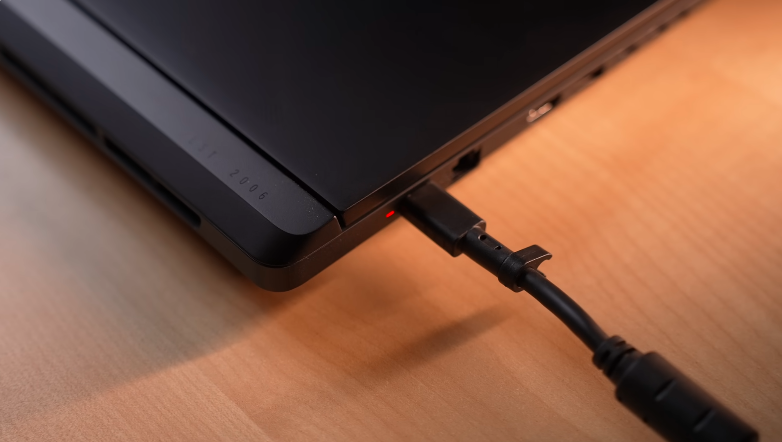
In terms of ports, there are a lot. On the right side, there are 2 USB 3.2 Gen 2 Type A ports. On the left side, there is a power input port. And this is a type of Type C port. You don’t have to see how to connect it. You can charge it easily with both sides. There is a 2.5Gbps LAN port and an HDMI 2.1 port. Its output is from RTX 5080. There are 2 Thunderbolt 5 ports. And Thunderbolt 5 has its own advantage. You can connect external accessories andandexternal GPUs. Even, you ccaneven n transfefast-speeded data through Thunderbolt share between 2 devices.
The speed is amaamazing the data was of 178GB. And it was being transferred very fa..st These ports support PD 3.1. You can charge this laptop with a 140W PD charger. If you don’t want to carry heavy chargersifIf you want to do normal tasksor ifIf you want to do casual productivitythenen you can use a PD charger. But for peak performanceyouou can use a 380W charger. You can also take the display output from these ports. Its output is from RTX 5080 for both ports. LastlyweWe will get a headphone-mic jack combo. And you will get a MUX switch.
Display:
It has a 16-inch ROG Nebula HDR display. It is a mini LED panel with anti-glare. The resolution is 1600P with a refresh rate of 240Hz. It is made according to Ethe esportsplayers. You are gaming on a laptop screen. So you can do kills back-to-back. It also supports a dynamic refresh rate. It will shift from 103Hz to 240Hz if you keep it set. So, the battery consumes less. It has a response time of 3ms. Talking about the colour gamut, it has 100% sRGB, 88% Adobe RGB, 98% P3, 86% NTSC.
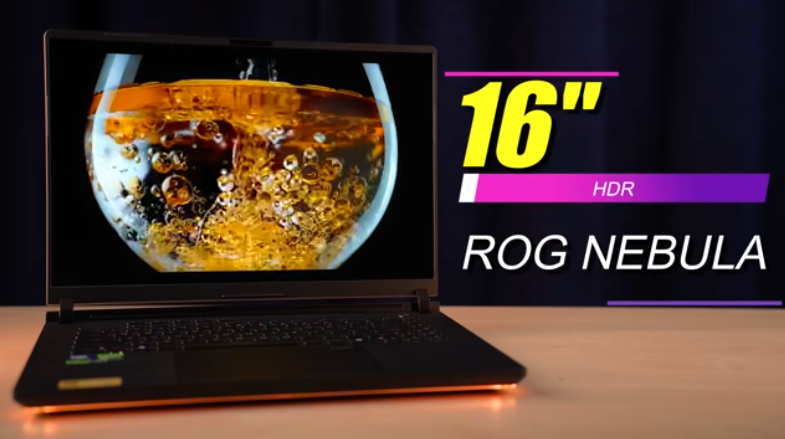
TThe coloursare very beautiful. Athe nd cherry on the cake ithehe brightne.ss In our testinit It came out to be 947.4 NITS. It is the highest brightness of a mini LED panel till now. This panel can go up to 1200 NITS. On a specific windowwhenen you are watching HDR or high dynamic range contentthehe brightness is very high. If you are running the laptop in a dull environment, you will have to reduce the brightness. Because they will feel more. And for this type of brightness, you can use it indoors or even outdoors.
It has Dolby Vision support, HDR support and VESA-certified DisplayHDR 1000. The display is amazing for multimedia and gaming. You also get different modes of the display in Armoury Crate. Like default, Racing, Scenery, FPe, etc. With which, the tones change according to the content. You can do it if you want.
Speakers:
The speakers are also amazing. It has 4 speakers, 2 tweeters and 2 woofers. And the woofers actually feel good. LThe laptopis giving Bass Thump is felt in this laptop. This is very rare. It also supports Dolby Atmos, so you can get peak output on external devices.
Battery:
And this laptop comes with a 90Whr battery. According to us, 99.9Whr should have been there. That is the peak battery backup due to airport issues. Butthe laptop becomes a little heavy due to that. If your usage changeyourour battery backup can be increased or decreased. And this is a good battery backup according to a gaming laptop. It also supports fast charging. It charges from 0% to 50% in just 30 minutes. And it takes 1 hour and 30 minutes to charge up to 100%. This was the review of Athe sus ROG Strix Car 16.
Keyboard and Trackpad:
Then the keyboard, It is good. This is the s ROG Strix Scar seriessoSo it has a premium keyboard. Typing experience is good. This laptop is 16 inches in size. You don’t get a full-size keyboard. Its numpad is inside the trackpad. You can see the numlock on the trackpad. If you hold ityouou will get the numpad. You can use it. And you can switch it off by holding it. If you get an RGB keyboard, you can customise it. It is a per-key RGB keyboard. You can sync the RGB of the laptop.
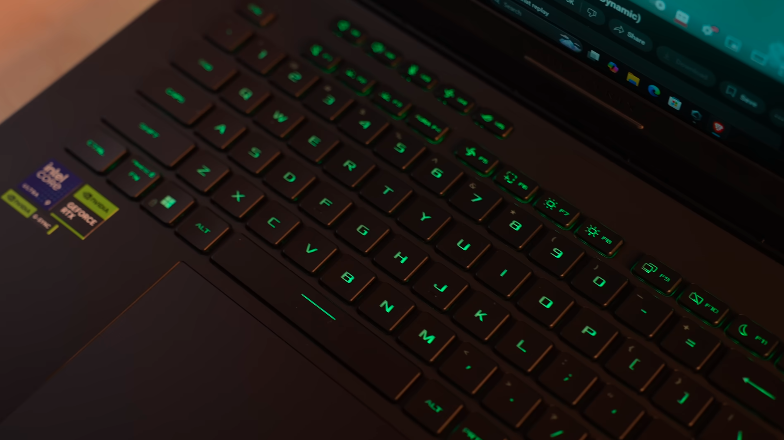
You can sync the RGB of the keyboard, Strip, and lo goologo trackpad is very big. It is a fully clickable trackpad. There are 5 programmable keys on the keyboard from M1 to M5. These are your macros. They also have their own symbols like volume, muteand and unand mute. BBut ifyou want to record a macro specifically for gaming or any combination of keys, you can record it on this.
Conclusion:
If you are looking for a 5080 laptopthenen definitely go for the new generation. It performs well in thermal. It has aLED-typepe display on top. The laptop’s display is good. Overall, it’s a good package. It’s a good price too.