Asus ROG Xbox Ally X Review: Is It Really Worth It or Not?
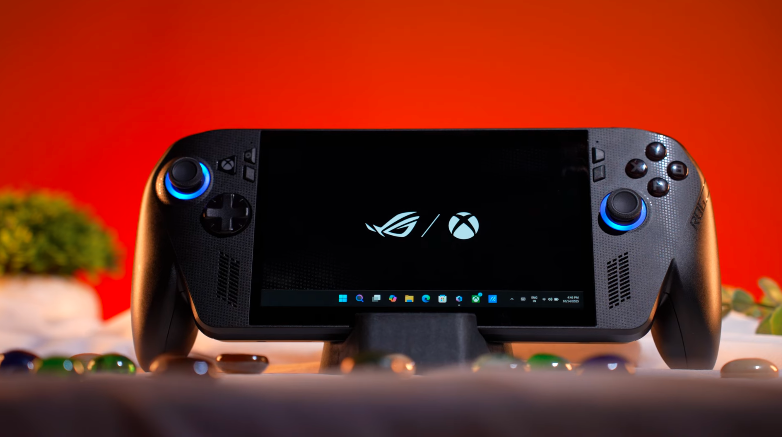
Table of Contents
What is Actually Windows Gaming Handled:
Those who don’t know what Windows gaming is, let us tell you, consider it a mini laptop because it works like a proper laptop. It has a Windows operating system. You can play games on it. And apart from gaming, you can do everything that you can do on a laptop. But it doesn’t have a keyboard and trackpad; it has a full-on touchscreen display. But you can also connect it to a bigger screen and use it as a full-fledged system. But this is a handheld. The controller is attached to the side. So, this is mainly promoted for gaming. Most people buy this device for gaming.
Build and Design:
If we compare it with the OG Ally X side by side If you look at the design carefully, it looks like the Xbox controller has been added to the Ally X. Yes, there are some differences in design. There isan Xbox written a lot of places that we don’t get in the Ally X. And there are extra controllers. And if you look at it from the back, it has a similar design.
There are macros, the ROG logo, there are strips on the back, there are intake vents, etc. So, physically, there is only one major change. They have added an Xbox-style grip to it. And like the Xbox controller, we will get 2 joysticks and 2 ABXY buttons on top. But yes, an extra Xbox button has been added. You get speaker grills here. There are 2 macros on the back. There is a power key on the top, which is also a physical fingerprint scanner. Yes, it has Windows Hello support. You can log in through fingerprint. There is a headphone-mic jack combo.
There is a UHS-II SD card slot. There is an exhaust vent on the top, Volume rocker buttons, Nand notificationLEDs. And there are 2 Type-C ports. There is a USB 3.2 Gen 2 port, which supports PD up to 100W. And there is a Thunderbolt 4 port, which is the Type-C port on the right side. It supports the same DP and PD 3.0. But it has more bandwidth. So, if you want, you can install an eGPU in the future.
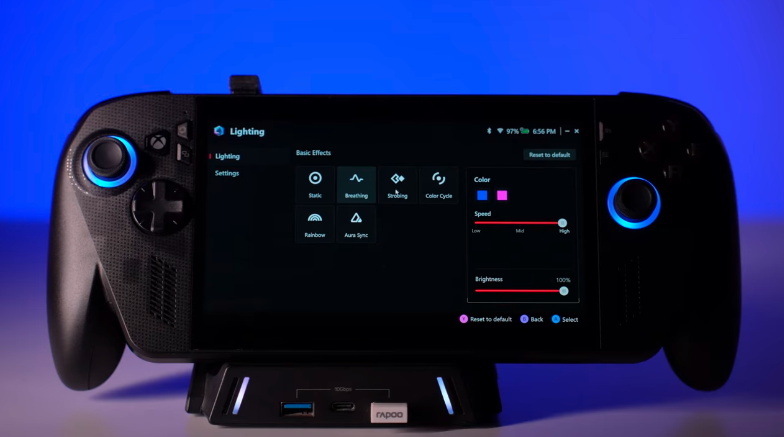
The device wweighsaround 715 grams. It feels good in-hand. The grips are very good. But it feels like an exertion if you play for 2-3-4 hours. Because the battery is very big. It has an 80Wh battery. So, it feels heavy in the hand. And around the joystick, we get RGBs. And you can customize this RGB by going to the Armoury Crate software.
Type-C Hub:
Type-C hub, Asus will launch it later. In which we get Type-A ports, RJ45 LAN ports, HDMI ports, etc. And it looks very good. And this has a gaming type of look with RGBs, etc. Like, we get the normal Steam Deck dock. If you want to buy it in the future, after buying this, you can check the ROG one.
It officially supports 100W charging. So, if there were a 100W charger in the box, it would have been great. Because if you want to use the dock in the future, then you will need a more powerful adapter. Because more accessories are required for it.
Specifications:
Let’s talk about the technology. Where it has been upgraded, i.e. The APU. Which is its own chipset. We get AMD Ryzen Z2 Extreme. Which is the same APU with 8 cores and 16 threads. And let us clear one confusion. They have released 2 versions in Z2 Extreme. One with an NPU and one without an NPU. Now, it has an NPU. You get an NPU of 45 tops. So, it is co-pilot plus certified.
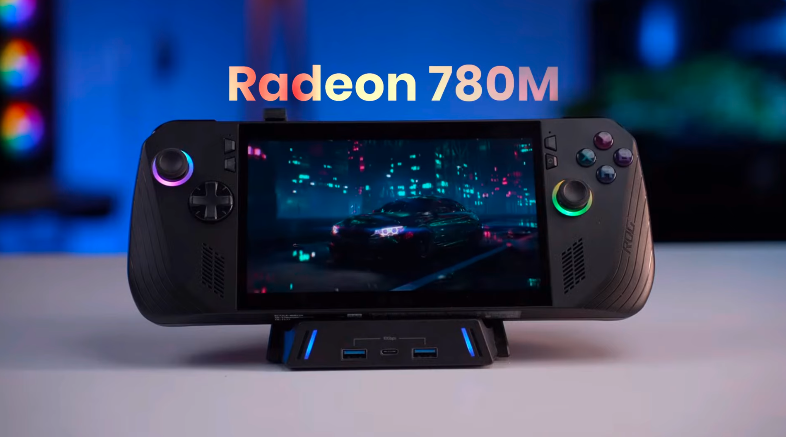
The benefits of Co-Pilot Plus certification are Ythat youget a lot of AI features. If you want to use it as a desk setup, then it will be beneficial. Otherwise, as a handheld and productivity device, Yyouwon’t get the benefits of Co-Pilot. If NPU is used in future games, then it will definitely be beneficial. It has 24GB LPDDR5X RAM on board with 8000 Mt/s speed. iGPU is AMD Radeon 890 graphics. Which was Radeon 780M on Z1 Extreme. Earlier, it had a 12-core count. Now, it has a 16-core count.
It has a 2280 full-size SSD slot. If you want to upgrade or swap inthe future, you can do it up to 2TB. If you feel 1TB is less, you can take a micro SD card. You can store games in it. High-speed SD cards are very expensive. It has Wi-Fi 6E and Bluetooth version 5.2 in terms of connectivity. You also get a 3-month Xbox Game Pass.
It has a charger, a battery, and a manual. You can tweak the manual one in Armoury Crate. We got similar numbers in it. You can also see the benchmark of Cinebench 2024. There is not much difference in battery and charging. You can see the numbers in GeekBench 6. Then We did the AI benchmark of GeekBench 6. First on CPU, then on GPU. We got good numbers on the GPU. Then the OOpenCLof Geekbench,i.e., Graphics score, is around 40,000. You can also check the 3D Mark Time Spy.
It has the same graphics, CPU, and overall score. We got good numbers on battery, charging, manual, etc. In After Effects as well, it gave 3700+. Overall, it gperformsa thin & light laptop of around Rs 1 Lakh. Obviously, it gives better performance than that. You can do photo editing, video editing, day-to-day tasks, coding, etc.
You can do all those things, but yes, it’s a handheld. It’s made for gaming. If you want to do all these things, then definitely use your laptop. If you don’t have a laptop, then don’t go for this. Go for the laptop first; it comes later.
Speakers:
We get 2 speakers on the front. It’s one of the best speakers on a handheld. It has a loud sound. It’s loud, the bass is good, the treble is good. If you want to do gaming on its speakers, then it’ll give you a good experience. It has a stereo separation feel. Because there are speakers on the left & right. So you get a good feeling. It’s Dolby Atmos tuned. So there is a Dolby app in which you can customize it.
The speakers are amazing. If you are using it for gaming or as a system, then you can use it for meetings.
Battery:
The battery is the same. It has an 80Wh battery that we get in Ally X. And the battery backup was the same. If you play games on turbo mode for 2 hours, with the screenbrightness set to around 80%. And if you use it in performance mode, then around 4 hours. If you are using a TWS or a headphone, if your resolution is low, Ifand ifou increase the screen brightness, then you can definitely get a better backup. And if you use itin silentt mode, then you can get a backup of 6-8 hours.
In that you can do Multimedia or light games don’t require a lot of power. So it’s a battery backup like this. And it’s definitely one of the best battery backups in handhelds till now. In the future, there will be a competition with bigger battery backups. Then we’ll see what happens. We’ll also do a comparison. The 65W charger that comes with it, it took 1 hour and 50 minutes to fully charge.
OS and UI:
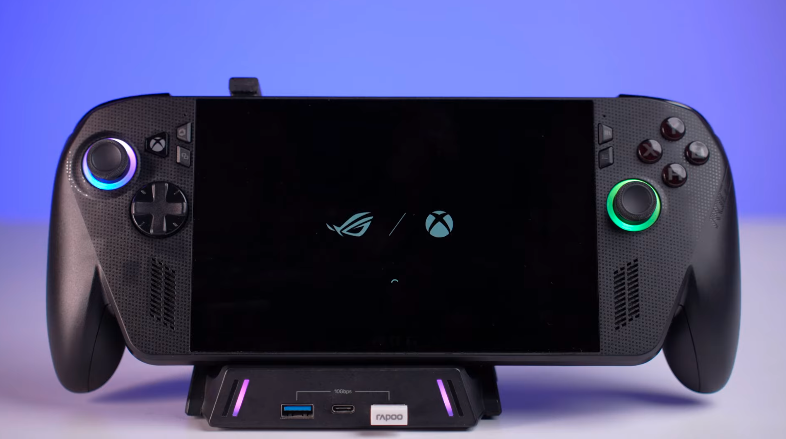
Now let’s talk about the operating system and user interface. Where this device stands out a little bit. As soon as you boot it, it opensinn the full-screen mode of Xbox. In this mode, not all Windows services can be loaded. You just get a full-screen mode like the Steam Deck. There is a full screen steam deck mode. In this, the Xbox mode, you will get all the launchers like Steam, Epic Games, etc. In Xbox full-screen mode, you will get the controller vibe so that you can use the controller on steam deck in the full screen mode. In Epic Games, you have to use a cursor.
If you have multiple apps, you can switch between them by holding the Xbox button and the shoulder button. If you download a game through the Xbox app, it’s mentioned that if the game runs above 30FPS, it should perform well on your device. If it runs above 60FPS, it should perform great on this device. This is the same thing as it comes on Steam on Sthe team Deck. You can check the performance of the device before buying the game.
Display:
The display is still the same tasthey ggaveearlier in Ally. It is the same 7-inch full HD 1080P display. It is 16:9. The bezels are the same. Anditt has an IPS panel. And they have introduced an anti-reflective coating, which will definitely benefit you in gaming if you are gaming in a lilit-upoom. But it is such an expensive device. People use a screenguard and then it’s over. Then the reflections come as before. And it has a 120Hz refresh rate. It gets AMD FreeSync Premium support.
Gaming Experience:
Talking about the gathering experience, Buttons gives a similar feel. But the grip of the Xbox controller feels good. Along with that, we get impulse triggers, which are available in the same Xbox controller. Meaning, the triggers have a vibration. Which wasn’t there in the old Ally-X.
Conclusion:
So this was the complete review of ROG Xbox Ally-X. If you have a PC, gaming console, laptop, etc. Then you feel that you should buy a handheld device too. And you think that you can play games with it while traveling. Then you should purchase it. If you have a large amount of money. After th atyouyouu want to invest oina gaming device, then it falls there.
If we talk about value for money, then there are other devices in the market. If you are going to buy a new device, then the price may or may not be low in the future.